
What is skills.sh?
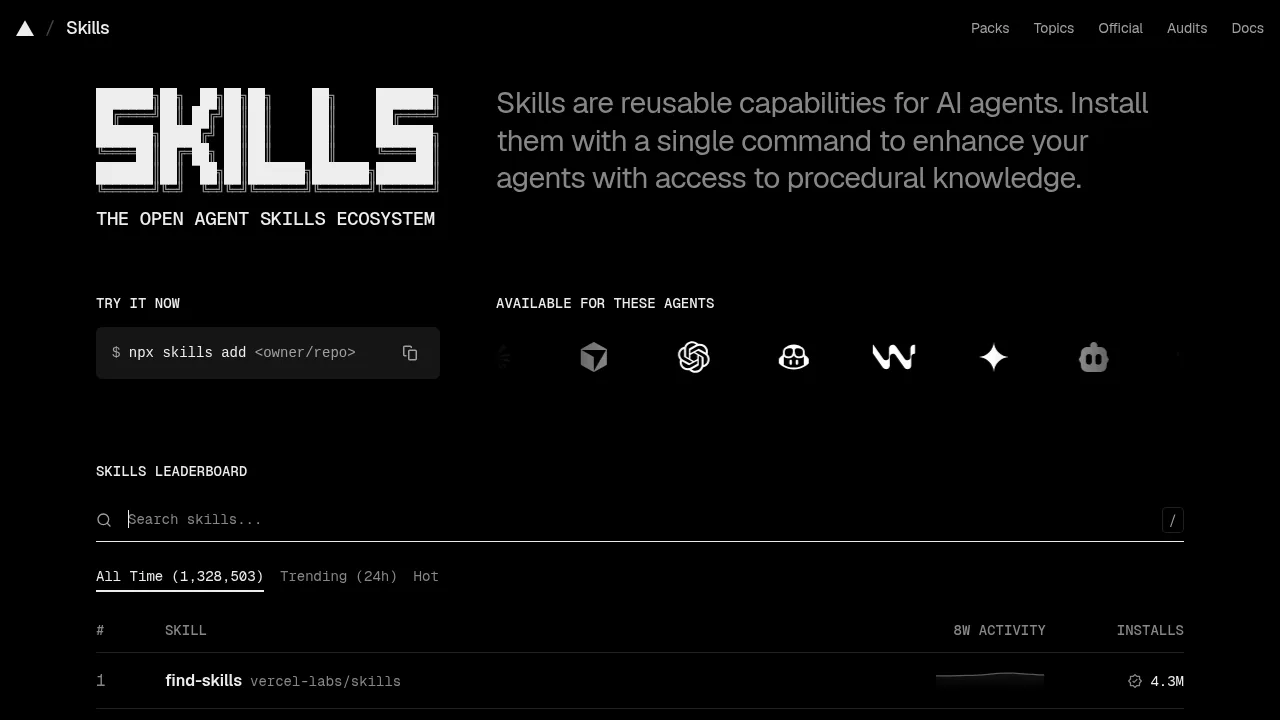
skills.sh is an open-source directory and registry for installing reusable capabilities, called skills, into AI coding agents. It targets developers using supported agents such as Claude Code, Cursor, Codex, GitHub Copilot, Windsurf, Gemini, Cline, AMP, Antigravity, and OpenClaw. Skills are installed via a command-line interface using npx.
What are the features of skills.sh?
- Skill installationAdds procedural knowledge to compatible AI agents through the CLI command
npx skills add <owner/repo>. - Skills leaderboardRanks available skills by all-time or 24-hour trending install counts, with over 1.3 million total entries listed.
- Searchable catalogAllows keyword search across skills published by organizations and individuals on GitHub.
- Topic filteringOrganizes skills by categories including React, Next.js, Design & UI, Mobile, Agent workflows, Databases, Testing, and Marketing.
- Security auditsProvides a dedicated section for reviewing security audit information related to published skills.
What are the use cases of skills.sh?
- Adding framework best practicesInstalling skills like
vercel-react-best-practicesorsupabase-postgres-best-practicesto guide an agent's code generation. - Enhancing design outputApplying skills such as
frontend-design,ui-taste, ordesign-mobile-appsto influence visual results from coding agents. - Streamlining cloud infrastructureUsing Azure-specific skills from
microsoft/azure-skillsto assist agents with compute, messaging, or migration tasks.
How to use skills.sh?
- Install a skillRun
npx skills add <owner/repo>in the terminal to add a specific capability to your supported AI agent.