What is PicSee Link Optimizer?
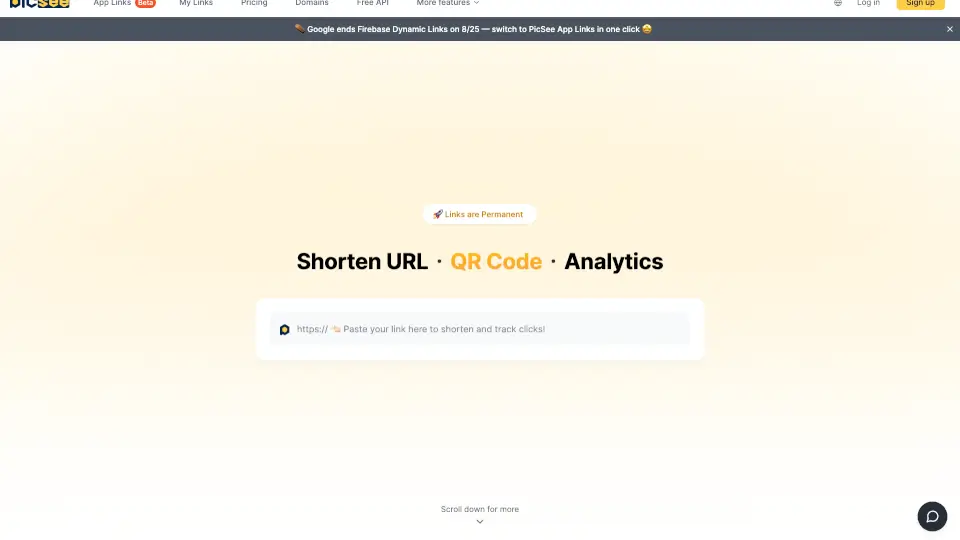
Ever printed a QR code on a flyer only to realize the link was wrong? Or started a Facebook ad campaign but needed to swap the landing page halfway through? That's exactly why PicSee exists. PicSee is a free, unlimited URL shortener that creates permanent short links—they never expire. You get detailed click analytics, built-in QR codes, and a full API, all without signing up. The best part? You can change the destination URL of any short link at any time, even after it's been printed or shared. Whether you're a small business owner, a social media manager, or a large enterprise running campaigns for Shopee, PChome, or Taishin Bank, PicSee gives you professional tools like custom branded domains (e.g., sho.pe or pchome.link), UTM tracking, and AI-generated link titles. It's designed to make marketers' lives easier by putting control and data back in your hands.
What are the features of PicSee Link Optimizer?
- Permanent, Unlimited Links: Every short link you create lasts forever. You can shorten as many URLs as you want, completely free.
- Change Destination Anytime: Made a typo in your flyer? No problem. Update the destination URL of any existing short link without needing a new QR code or link.
- Smart UTM Builder: Automatically append UTM parameters to your links for Google Analytics (GA4) tracking. Save your common parameters for one-click application.
- Custom Link Previews: Don't let your link look ugly on social media. Customize the thumbnail image, title, and description for every short URL (Taiwan patent protected).
- Branded Short Domains (BSD): Use your own domain or pick from premium options like pse.is, taobao.ec, or tsbk.tw to make your links instantly recognizable.
- Built-in Analytics & QR Code: Every short link automatically includes click analytics (per hour, device, region) and a downloadable QR code.
What are the use cases of PicSee Link Optimizer?
- Print Marketing: Change the landing page of a QR code printed on brochures, posters, or business cards without reprinting.
- Social Media Management: Customize link previews to boost click-through rates on Facebook, Instagram, or LinkedIn posts.
- Ad Campaigns (Meta/Google): Insert Meta Pixel or Google Tag Manager (GTM) directly into your short links. Update ad destinations without pausing campaigns.
- E-commerce & Affiliate Marketing: Use branded short domains (like shop.ee or pchome.link) to build trust and track clicks from multiple sources.
- Bulk Operations: Upload an Excel file to shorten up to 100,000 links at once, each with its own analytics.
- App Deep Linking: Set short links to automatically open in the YouTube app or other mobile apps when clicked on a phone.
How to use PicSee Link Optimizer?
- Shorten a Link: Go to PicSee and paste your long URL into the input box. Click "Shorten" to get a permanent short link instantly—no signup required.
- Customize (Optional): Once logged in, edit the short link slug (e.g., pse.is/yourKeyword) or pick a branded domain. Set a custom thumbnail and title for social media previews.
- Add Tracking: Use the built-in UTM builder to add campaign parameters. Enable Meta Pixel or GTM tracking if needed for your ads.
- Share Anywhere: Copy the short link or download the auto-generated QR code for print materials.
- Update Later: If your campaign changes, log in, find the link in your dashboard, and edit the destination URL. The original short link remains the same.