What is OpenWidget?
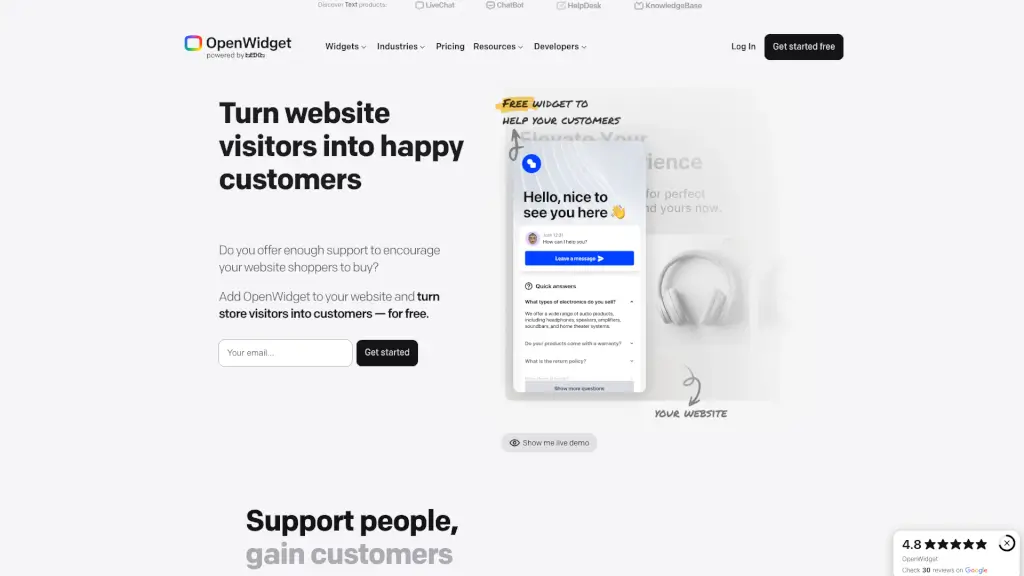
OpenWidget is a free, no-code toolkit that helps you add powerful customer engagement features directly to your website—without needing developers or complex setups. Whether you run an online store, a service business, or a blog, OpenWidget lets you connect with visitors in real time using smart, customizable widgets that boost trust and drive sales.
From live chat and AI-powered chatbots to product showcases and feedback forms, every tool is designed to make customer interactions smoother and more effective. Best of all? It’s completely free to start, works on any platform (like WordPress, Wix, or custom sites), and takes just minutes to install.
What are the features of OpenWidget?
- LiveChat & ChatBot: Offer instant support with human agents or AI automation—great for answering questions 24/7.
- Product Cards & Recommendations: Highlight bestsellers or special offers by simply pasting a product link; cards auto-generate with images and pricing.
- Google Reviews Widget: Display real customer reviews from Google directly on your site to build credibility fast.
- FAQ Template: Preempt common questions with a clean, searchable FAQ section that reduces support tickets.
- Visitor Counter: Show social proof by displaying how many people are viewing your site or have visited recently.
- Multi-Channel Messaging: Connect via WhatsApp, Facebook Messenger, or custom chat interfaces—all from one dashboard.
- Easy Customization: Match widget colors, fonts, and layout to your brand so everything feels seamless.
- Lightweight Installation: Just copy a snippet of code and paste it into your HTML—no plugins or backend changes needed.
What are the use cases of OpenWidget?
- An e-commerce store uses Product Cards to promote flash sales right on their homepage, increasing conversions by 18%.
- A SaaS startup adds the ChatBot + HelpDesk combo to handle tier-1 support automatically while routing complex issues to human agents.
- A local bakery embeds the Google Reviews Widget to showcase 5-star feedback, helping first-time visitors feel confident ordering online.
- A freelance designer uses the Contact Form + Feedback Form to collect project details and post-delivery insights in one place.
- A nonprofit adds a Visitor Counter during a fundraising campaign to create urgency and show community momentum.
- An online course creator builds a KnowledgeBase using the FAQ Template so students can find answers without emailing support.
How to use OpenWidget?
- Sign up for a free account at OpenWidget’s website and log in to your dashboard.
- Choose the widget you want (e.g., Contact Form, Google Reviews, ChatBot) and customize its look and behavior.
- Copy the auto-generated JavaScript code snippet provided for your selected widget.
- Paste that code just before the closing
</body>tag in your website’s HTML. - Save and refresh your site—you’ll see the widget live instantly!
- For platforms like WordPress or Wix, use the dedicated integration guides in the Resources section for even easier setup.