
What is MyDesigns?
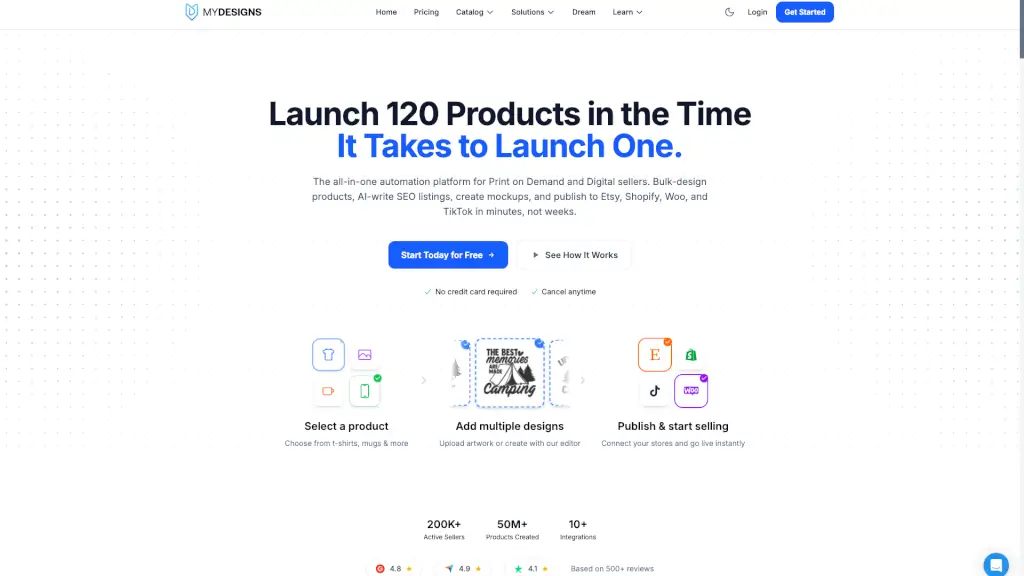
MyDesigns is a powerful all-in-one platform designed to help you create and sell custom products online with ease. Whether you're into Print on Demand (POD) or digital products, MyDesigns streamlines the entire process, from designing and listing to selling and fulfilling orders. With its bulk design and automation features, you can launch 120 products in the time it takes to launch one, saving you countless hours and making your e-commerce business more efficient and profitable.
What are the features of MyDesigns?
- Bulk Design: Upload multiple designs at once and apply them to a wide range of products, from t-shirts to mugs and more.
- AI-Generated SEO: Automatically generate high-ranking titles, descriptions, and tags for all your listings.
- Mockup Generator: Create professional mockups in seconds, with up to 20 styles per product.
- Multi-Platform Publishing: Publish your products to Etsy, Shopify, Woo, and TikTok Shops simultaneously.
- Order Management: Track and manage orders from all platforms in one dashboard, with real-time updates.
- Automated Fulfillment: Orders are automatically routed to your print partner, who handles printing, packing, and shipping.
- Digital Product Sales: Easily sell digital products like PNGs, SVGs, and patterns, with automatic file conversion and hosting.
What are the use cases of MyDesigns?
- Print on Demand Sellers: Quickly create and list a variety of custom products, from apparel to home decor, and start selling on multiple platforms.
- Digital Artists: Sell digital art, patterns, and designs without the hassle of manual file conversions and hosting.
- E-commerce Entrepreneurs: Manage and grow your online store by automating the most time-consuming tasks, from design to fulfillment.
- Small Business Owners: Expand your product offerings and reach a wider audience with minimal effort and no upfront inventory costs.
- Creative Professionals: Leverage AI and automation tools to enhance your creative workflow and focus on growing your business.
How to use MyDesigns?
- Choose a Product: Select a product type from the catalog, such as t-shirts, mugs, or phone cases.
- Upload Designs: Drag and drop your design files, or use the built-in editor to create new ones.
- Bulk Edit: Adjust the first design's position and alignment, then use the Sync feature to apply the same settings to all designs.
- Generate Mockups: Select up to 20 mockup styles, and the system will render 2,400 professional images instantly.
- Set Pricing: Define your profit margin or apply a pricing template to all your products.
- Publish: Click "Publish" to send your fully optimized listings to Etsy, Shopify, Woo, and TikTok Shops.