
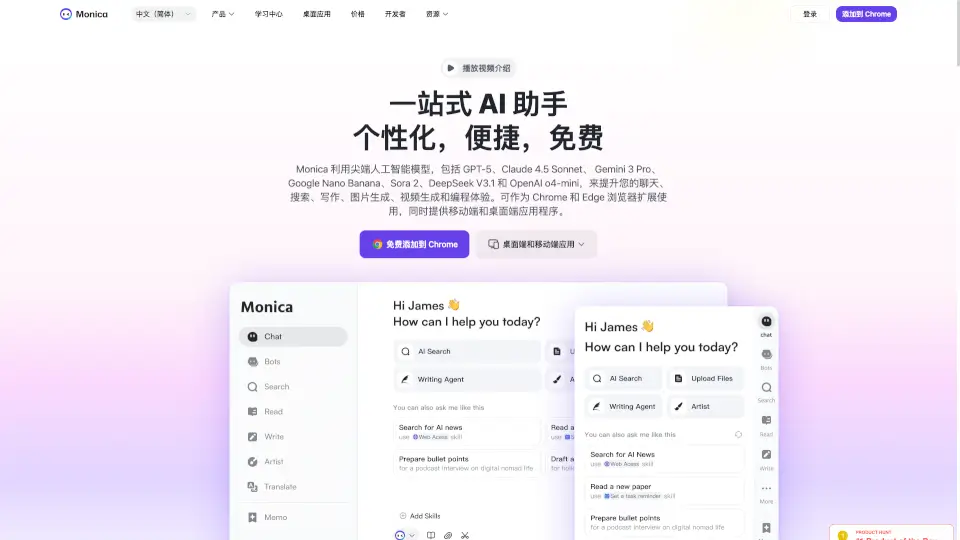
O que é Monica?
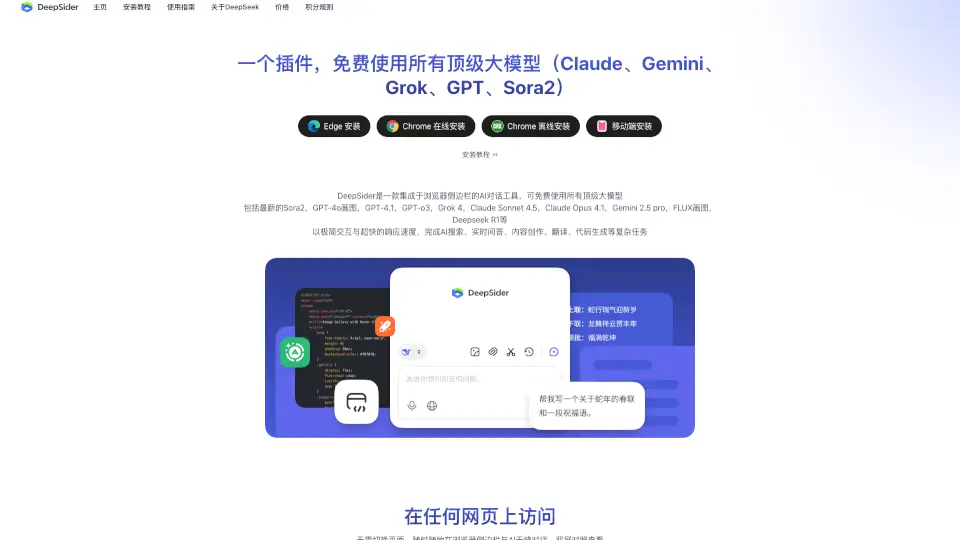
Monica é um assistente de IA tudo-em-um que combina os modelos mais avançados do mundo — como GPT-5.5, Claude 4.7 Opus, Gemini 3.1 Pro, Sora 2 e Nano Banana 2 — diretamente no seu navegador, desktop ou celular. Seja você estudante, profissional, desenvolvedor ou criador de conteúdo, Monica ajuda a escrever, pesquisar, resumir documentos, traduzir textos, gerar imagens e até criar vídeos com apenas alguns cliques.
Com uma barra lateral inteligente que funciona em qualquer página da web, Monica transforma sua navegação diária em uma experiência produtiva e criativa. Você pode explicar trechos técnicos, reescrever e-mails, resumir vídeos do YouTube ou gerar código — tudo sem sair da aba atual. Disponível gratuitamente como extensão para Chrome e Edge, além de apps para Windows, Mac, Android e iOS, Monica já é usada por mais de 10 milhões de pessoas em todo o mundo.
Quais são as características de Monica?
- Acesso a múltiplos modelos de IA: Escolha entre GPT-5.5, Claude 4.7 Opus, Gemini 3.1 Pro e outros para obter a melhor resposta possível.
- Barra lateral AI em qualquer site: Pressione Ctrl+M (ou Cmd+M) para abrir Monica e usar ferramentas diretamente na página que você está.
- Ferramentas de criação multimídia: Gere imagens realistas, remova marcas d’água, crie logos, transforme fotos em desenhos animados e produza vídeos com Sora 2.
- Assistente de escrita avançado: Reescreva textos, torne conteúdos mais humanos, contorne detectores de IA e traduza com precisão.
- Suporte completo a PDFs: Leia, traduza, resuma e converta PDFs em PPT, Word ou imagens com ferramentas como ChatPDF e OCR.
- Ferramentas para desenvolvedores: Integração com VSCode e JetBrains, geração de código, sugestões em tempo real e busca direta no GitHub/StackOverflow.
Quais são os casos de uso de Monica?
- Um estudante usa Monica para resumir artigos científicos, criar mapas mentais e formatar referências em APA ou MLA automaticamente.
- Um profissional de marketing gera campanhas completas, roteiros de vídeo, posts para redes sociais e análises de concorrência em minutos.
- Um desenvolvedor pede ajuda para depurar código, escrever testes unitários ou converter SQL em scripts Python com visualizações prontas.
- Um empreendedor analisa tendências de mercado, prepara apresentações no PowerPoint com IA e responde e-mails com sugestões profissionais.
- Um criador de conteúdo transforma ideias em vídeos com Sora 2, gera thumbnails com DALL·E 3 e converte áudio em texto para legendas.
- Um pesquisador acadêmico localiza literatura relevante, constrói estruturas de tese e obtém insights com base em dados atualizados da web.
Como usar Monica?
- Instale a extensão gratuita do Monica no Chrome ou Edge pela Chrome Web Store.
- Pressione Ctrl+M (Windows/Linux) ou Cmd+M (Mac) em qualquer página para abrir a barra lateral da IA.
- Selecione um trecho de texto e clique com o botão direito para traduzir, resumir, explicar ou reescrever.
- Use os mais de 80 modelos prontos para redação de currículos, e-mails, posts ou relatórios.
- Acesse o app móvel ou desktop para continuar seu trabalho fora do navegador, com sincronização automática.
- Escolha o modelo de IA ideal para cada tarefa (ex: Claude para análise detalhada, Sora 2 para vídeos, GPT-5.5 para escrita criativa).