What is Horizon UI?
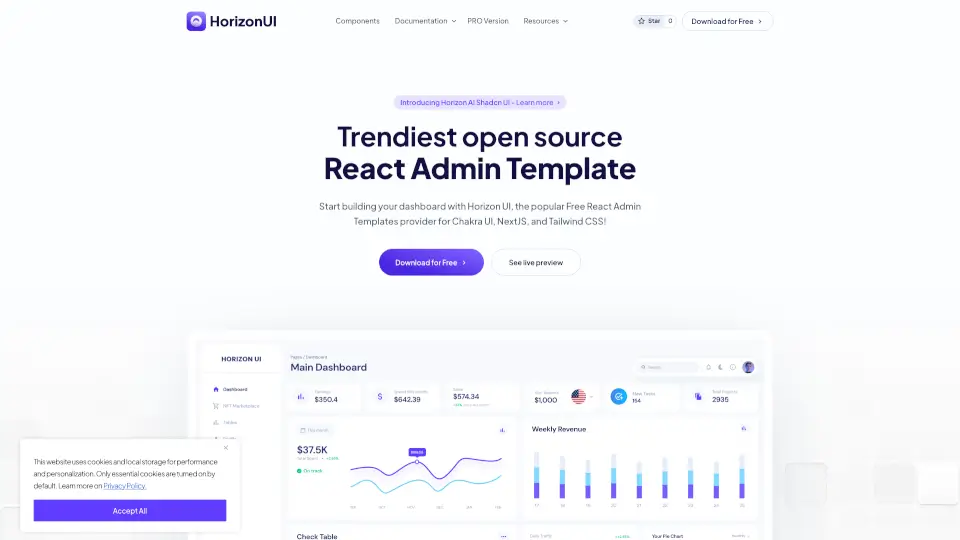
Welcome to Horizon UI, the ultimate free React admin template designed to help you build trendy and sleek dashboards. Whether you're a developer, designer, or business owner, Horizon UI offers a seamless integration with Chakra UI, NextJS, TailwindCSS, and Shadcn UI, making it easy to create beautiful and functional admin interfaces. With over 70+ UI components, you can customize your dashboard to fit your unique needs and style. Plus, it's completely free, so you can start building right away without any cost.
What are the features of Horizon UI?
- 70+ UI Components: A wide range of components including buttons, inputs, navbars, cards, and more, all designed to give your dashboard a modern and professional look.
- Dark and Light Themes: Choose between dark and light themes to match your brand and user preferences.
- Integration with Popular Libraries: Seamlessly integrate with Chakra UI, NextJS, TailwindCSS, and Shadcn UI for a robust and flexible development experience.
- Customization Options: Easily customize colors, contrast, and other settings using the Horizon Configurator.
- Page Examples: Get started quickly with 6+ page examples that cover common use cases.
- Responsive Design: Ensure your dashboard looks great on all devices with responsive design elements.
What are the use cases of Horizon UI?
- Admin Dashboards: Build comprehensive admin panels for managing user data, analytics, and more.
- Project Management Tools: Create intuitive interfaces for project tracking, task management, and team collaboration.
- E-commerce Backends: Develop powerful backends for e-commerce platforms, complete with order management, inventory tracking, and customer support.
- Analytics Platforms: Design dashboards for visualizing and analyzing data, helping you make informed decisions.
- Healthcare Applications: Build secure and user-friendly interfaces for healthcare providers, patients, and administrators.
- Financial Dashboards: Create financial dashboards for tracking investments, budgets, and financial performance.
How to use Horizon UI?
- Download the Template: Visit the Horizon UI website and download the free React admin template.
- Set Up Your Project: Follow the setup instructions provided in the documentation to get your project up and running.
- Customize Components: Use the Horizon Configurator to customize the colors, themes, and other settings to match your brand.
- Integrate with Libraries: Integrate additional libraries and tools as needed to extend the functionality of your dashboard.
- Test and Deploy: Test your dashboard thoroughly and deploy it to your preferred hosting platform.