
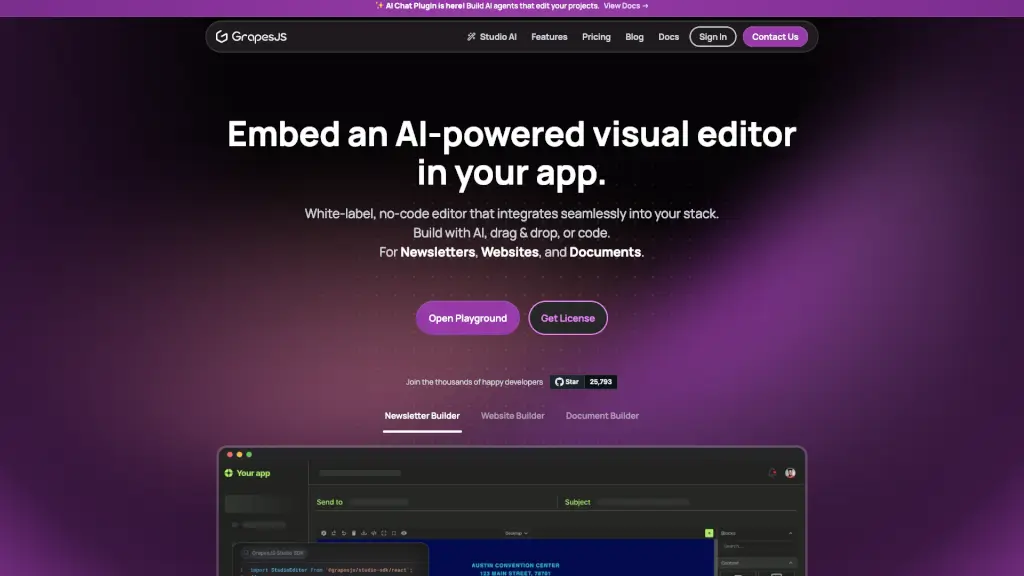
Was ist GrapeJS?
Möchtest du einen KI-gestützten, visuellen Editor direkt in deine eigene App einbauen? Mit dem Embedded Visual Editor SDK von Grapes Studio kannst du das – ganz ohne Code-Lock-in und komplett white-label. Ob Newsletter, Websites oder Dokumente: Deine Nutzer können Inhalte per Drag & Drop gestalten, mit KI optimieren oder direkt im Code bearbeiten. Und das Beste? Du behältst volle Kontrolle über Design, Hosting und Benutzererfahrung.
Der Editor basiert auf dem beliebten Open-Source-Framework GrapesJS, wird aber durch leistungsstarke Erweiterungen wie den Studio AI Chat Plugin und professionelle Tools wie Template-Manager oder Style-Katalog deutlich aufgewertet. Entwickler weltweit nutzen ihn bereits, um maßgeschneiderte Content-Baukästen für ihre Kunden anzubieten – kostenlos starten inklusive.
Was sind die Merkmale von GrapeJS?
- KI-gestützter Editor: Integriere KI-Agenten, die Inhalte automatisch anpassen, generieren oder optimieren – ideal für schnelle Iterationen.
- White-Label-Lösung: Passe Aussehen, Branding und UX vollständig deinem Produkt an – kein fremdes Logo, keine externen Abhängigkeiten.
- Multi-Format-Unterstützung: Erstelle Newsletter, Websites, Landingpages und Dokumente mit einem einzigen Editor.
- Drag & Drop + Code-Editing: Nutzer wählen selbst, ob sie visuell bauen oder direkt HTML/CSS/JS schreiben möchten.
- Responsive Design Tools: Stelle sicher, dass Inhalte auf allen Geräten perfekt aussehen – mit integrierten Breakpoint-Steuerungen.
- Eigene Komponenten & Symbole: Erstelle wiederverwendbare Blöcke („Symbols“) und lass Nutzer deine eigenen UI-Elemente per Drag & Drop platzieren.
- Flexibles Hosting: Wähle zwischen Cloud oder Self-Hosting – du bestimmst, wo deine Daten bleiben.
- Einfacher Export: Der Editor liefert sauberes HTML/CSS/JS oder strukturiertes JSON für die Weiterverarbeitung in deinem Backend.
Was sind die Anwendungsfälle von GrapeJS?
- Ein E-Mail-Marketing-Tool, das Kunden erlaubt, professionelle Newsletter per Drag & Drop zu erstellen – mit eigenem Branding.
- Eine Website-Baukasten-Plattform für kleine Unternehmen, die KI-gestützte Landingpages in Minuten generiert.
- Ein CMS für Agenturen, das Redakteuren ermöglicht, responsive Webseiten ohne Entwicklerhilfe zu pflegen.
- Ein Dokumenten-Generator für Rechtsanwälte oder Berater, der dynamische Verträge oder Berichte aus externen Datenquellen erstellt.
- Ein internes Tool für Marketingteams, um konsistente Kampagnen-Inhalte über vorgefertigte Templates zu produzieren.
- Ein Low-Code-Builder für SaaS-Produkte, der Endnutzern maßgeschneiderte Dashboards oder Formulare bietet.
Wie benutzt man GrapeJS?
- 1. SDK installieren: Integriere das Studio SDK über npm oder CDN in dein Frontend-Projekt.
- 2. Editor konfigurieren: Passe Toolbar, Panels und verfügbare Komponenten an deine Anforderungen an.
- 3. Eigene Blöcke hinzufügen: Definiere benutzerdefinierte Komponenten (z. B. Call-to-Action-Buttons oder Social-Media-Blöcke).
- 4. KI-Funktionen aktivieren: Schalte das AI Chat Plugin ein, um Nutzern KI-basierte Bearbeitungsoptionen zu bieten.
- 5. Daten speichern & exportieren: Nutze das eingebaute JSON-Format zum Speichern und den HTML-Export zur Veröffentlichung.
- 6. White-Label anpassen: Ändere Farben, Logos und Schriftarten, damit der Editor nahtlos in dein Produkt passt.