
O que é GenYOU?
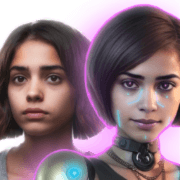
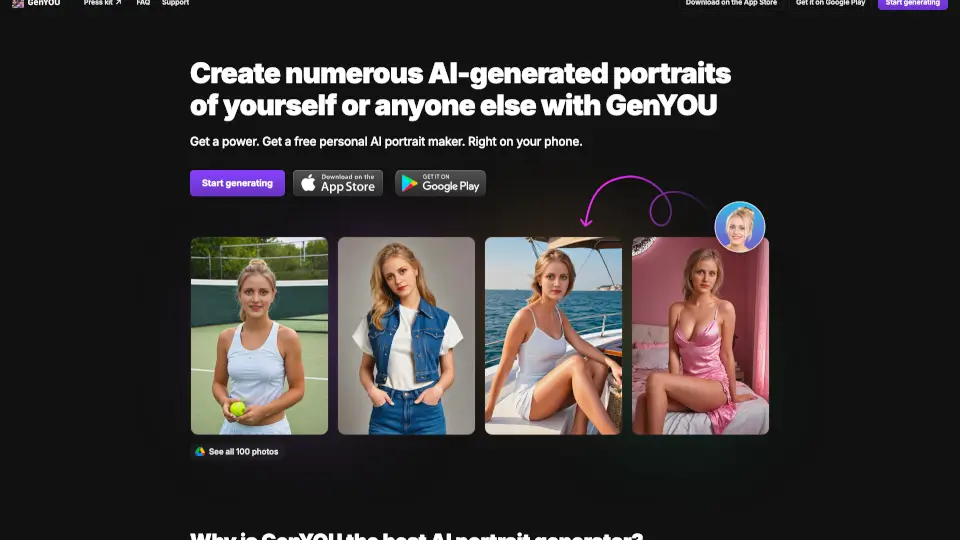
GenYOU é um aplicativo móvel de geração de retratos com IA disponível na App Store e Google Play. Ele permite criar fotos de perfil, avatares, selfies e imagens de corpo inteiro preservando a identidade da pessoa — ao contrário de outros apps que geram sósias aleatórios. Ideal para quem quer fotos personalizadas sem precisar de sessões fotográficas reais. O app é gratuito e foca em manter as características faciais originais, oferecendo estilos variados como luxo discreto, street style, personagens históricos e super-heróis.
Quais são as características de GenYOU?
- Preservação de Identidade: Mantém as feições exatas da pessoa carregada, garantindo que os retratos gerados sejam reconhecíveis e fiéis ao original.
- Múltiplos Tipos de Saída: Gera headshots, selfies, fotos de perfil, avatares e fotos de corpo inteiro — tudo em um só app.
- Estilos e Cenários Variados: Permite experimentar looks como luxo discreto, street style, personagens históricos, super-heróis e muito mais, trocando o visual sem sair de casa.
- Geração de Fotos de Amigos: Basta enviar fotos do rosto de outra pessoa para criar retratos dela em diferentes estilos e contextos.
- Criação de Influenciadores com IA: Possibilita gerar perfis completos de influenciadores virtuais (como Lil Miquela, Aitana Lopez) para uso em redes sociais e marketing.
- Interface Móvel Otimizada: Funciona diretamente no celular, com fluxo simplificado de upload, seleção de estilo e geração de imagens.
Quais são os casos de uso de GenYOU?
- Criar fotos de perfil personalizadas no Instagram com diferentes estilos sem precisar contratar fotógrafo.
- Gerar avatares para jogos ou redes sociais que mantenham a aparência real do usuário.
- Produzir influenciadores virtuais para campanhas de marketing em nichos como moda, beleza ou lifestyle.
- Experimentar novos looks ou personagens antes de fazer uma mudança de estilo ou comprar roupas.
- Fazer fotos de casal ou de amigos usando os rostos de cada um em cenários variados.
Como usar GenYOU?
- Baixe o GenYOU na App Store (iOS) ou no Google Play (Android).
- Faça upload de fotos nítidas do rosto da pessoa que deseja gerar (você ou outra pessoa).
- Escolha um estilo ou cenário (luxo, street style, histórico, super-herói, etc.).
- Toque em "Start generating" e aguarde a criação das imagens — o app gera uma série de fotos.
- Revise as imagens geradas e salve as que preferir; você pode gerar novamente com outros estilos.