
What is DressMyCrib?
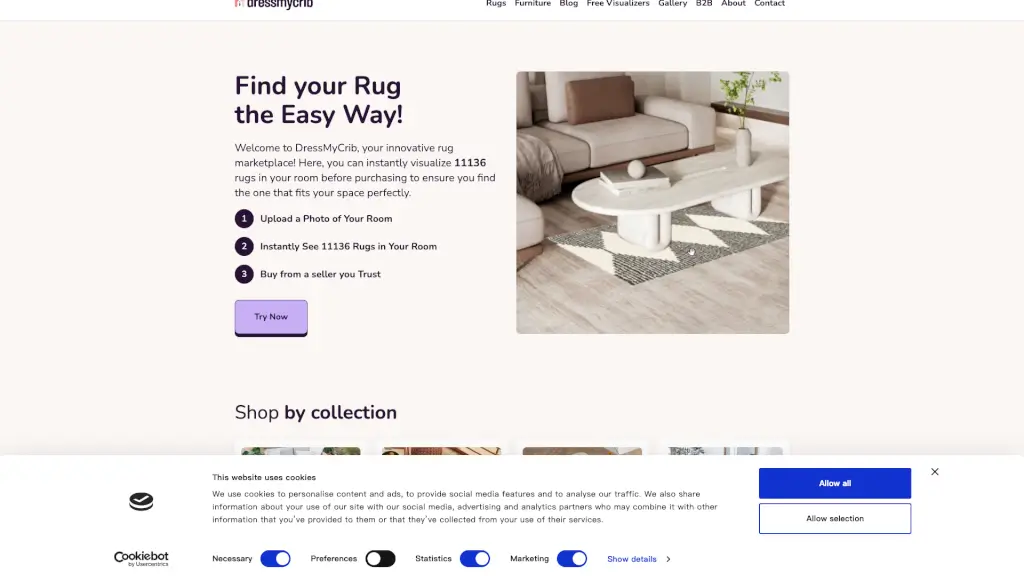
Welcome to DressMyCrib, your go-to destination for finding the perfect rug for any space! With our innovative virtual visualization tool, you can upload a photo of your room and instantly see how over 11,000 rugs would look in your space. This makes it super easy to find the right rug that complements your decor and fits perfectly. Say goodbye to the guesswork and hello to a beautifully designed room with just a few clicks.
What are the features of DressMyCrib?
- Virtual Visualization: Upload a photo of your room and see how different rugs will look in real-time.
- Wide Selection: Choose from over 11,000 rugs in various styles, colors, and sizes.
- Trusted Retailers: Purchase directly from trusted online retailers like Amazon.
- User-Friendly Interface: Easy to use, even for those who aren't tech-savvy.
- AR Technology: Use AR on your phone to view rugs in your room in real-time.
- Free Visualizers: Access free visualizers for curtains, cushions, wall art, and furniture.
What are the use cases of DressMyCrib?
- Living Room Makeover: Find the perfect rug to tie together your living room's color scheme and style.
- Bedroom Refresh: Add a cozy, stylish touch to your bedroom with a new area rug.
- Entryway Welcome: Create a warm and inviting entryway with a beautiful, durable rug.
- Kitchen Comfort: Place a soft, washable rug in your kitchen for added comfort and style.
- Bathroom Elegance: Elevate your bathroom's look with a stylish, water-resistant rug.
- Outdoor Spaces: Transform your patio or deck with a durable, weather-resistant outdoor rug.
How to use DressMyCrib?
- Upload a Photo: Start by uploading a clear photo of the room where you want to place the rug.
- Browse Rugs: Scroll through the wide selection of rugs and click on the ones you like.
- Visualize in Your Room: See how each rug looks in your uploaded room photo.
- Adjust and Compare: Try different sizes, colors, and styles to find the best fit.
- Purchase Directly: Once you find the perfect rug, buy it directly from a trusted retailer.
- Use AR for Real-Time View: For an even more accurate view, use the AR feature on your phone.