
What is Crowdcast?
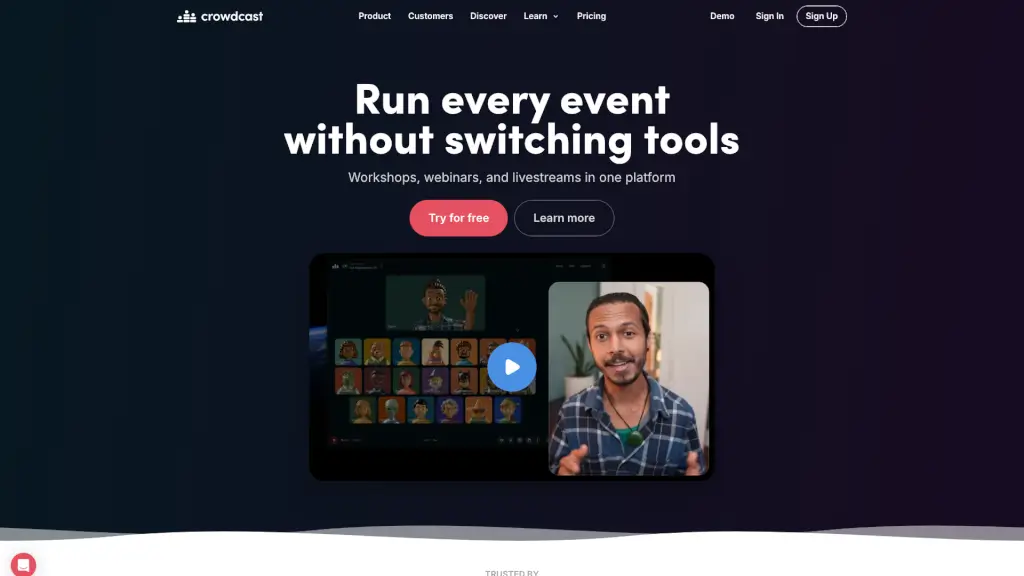
Crowdcast is a versatile online event platform that brings the world together, making it easy to reach, engage, and grow your community. Whether you're hosting workshops, webinars, or live streams, Crowdcast offers all the tools you need in one place. With features like customizable stages, interactive galleries, and built-in production tools, you can create engaging and professional events without the hassle of switching between multiple platforms. Plus, with the ability to integrate with popular services like Patreon and Stripe, you can monetize your events and connect with your audience on a deeper level.
What are the features of Crowdcast?
- Customizable Stages: Design your stage with backgrounds, logos, and branding that adapt to your content, creating a unique and professional look.
- Interactive Gallery: A private space for attendees to get ready before going live, ensuring everyone is prepared and confident.
- Built-in Production Tools: Use overlays, share videos, present slides, and drive attendee actions with seamless, integrated tools.
- Community Engagement: Bring attendees on screen, use polls, and engage in live chat to keep your audience involved and connected.
- Flexible Ticketing: Host free or paid events with flexible ticketing options, and integrate with Patreon and Stripe for easy payments.
- Broadcast to Multiple Platforms: Expand your reach by broadcasting to Facebook Live, YouTube Live, and Twitch, capturing emails and growing your audience.
- Replays and Analytics: Record your events and access detailed analytics to understand your audience better and improve future events.
What are the use cases of Crowdcast?
- Workshops and Webinars: Host educational sessions with interactive features like Q&A, polls, and live chat to keep your audience engaged.
- Live Shows and Concerts: Stream your performances to a global audience, with high-quality video and audio, and interactive elements to make your show stand out.
- Virtual Conferences and Festivals: Organize large-scale events with breakout sessions, unlimited registrations, and seamless integration with other platforms.
- Teaching and Training: Conduct multi-week courses, private lessons, and training sessions with the ability to share slides, answer questions, and customize replays.
- Patreon Events: Host exclusive events for your patrons with direct integration, controlling access based on membership tiers and offering discounts or free entry.
- Hybrid Events: Combine in-person and virtual experiences, allowing remote attendees to participate in Q&As, hangouts, and group calls.
How to use Crowdcast?
- Create Your Event: Sign up for a free trial and set up your event by choosing the type (workshop, webinar, etc.) and setting a date and time.
- Customize Your Stage: Add your branding, background, and layout to make your event visually appealing and on-brand.
- Invite Attendees: Share the event link with your audience through email, social media, or your website.
- Engage Your Audience: Use interactive features like polls, Q&A, and live chat to keep your audience engaged during the event.
- Record and Analyze: Record your event for later viewing and use the built-in analytics to understand your audience's behavior and preferences.
- Follow Up: Send follow-up emails to attendees with links to the recording, additional resources, and upcoming events.