What is Chat GPT Demo?
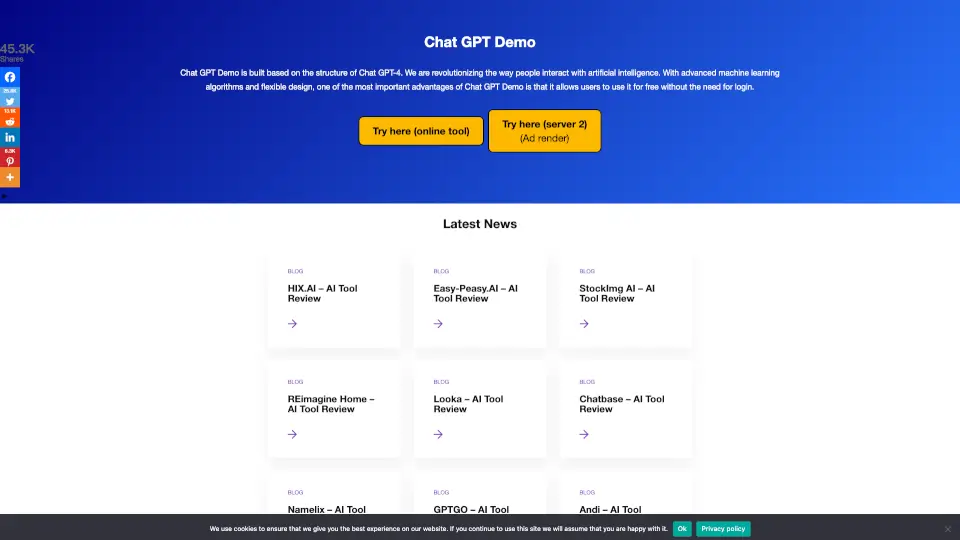
[chatgptdemo.net] is a free online platform that lets you test-drive ChatGPT without creating an account or entering payment info. It’s built for curious learners, busy professionals, and anyone who wants to experience AI conversation instantly. Just open the site, type your question, and get a response—no commitments, no friction.
What are the features of Chat GPT Demo?
- Zero Sign‑Up Required: Use ChatGPT instantly – no email, no password, no subscription.
- Multiple Model Access: Switch between different GPT versions (GPT‑3.5, GPT‑4, or custom fine‑tuned models) depending on availability.
- Clean, Minimal Interface: A distraction‑free chat window that loads fast even on slow connections.
- Privacy‑Focused: No chat history stored on the server; your conversations are ephemeral.
- Mobile‑Friendly: Works smoothly on smartphones and tablets for on‑the‑go use.
- Rate‑Limited Free Tier: Fair usage limits prevent abuse while keeping the service open to everyone.
What are the use cases of Chat GPT Demo?
- Quick Research: Ask factual questions, summarize articles, or get context on unfamiliar topics without opening a dozen tabs.
- Writing Assistance: Draft emails, brainstorm blog titles, or rewrite sentences – all without logging in.
- Learning & Tutoring: Use the AI as a study buddy to explain concepts, check math solutions, or practice language skills.
- Idea Generation: “What are five creative party themes?” or “Give me startup ideas in edtech” – get instant inspiration.
- Tech Testing: Developers and testers can evaluate ChatGPT’s responses across different prompt styles without setting up an API key.
How to use Chat GPT Demo?
- Step 1: Open [chatgptdemo.net] in your browser (Chrome, Edge, Firefox, or Safari).
- Step 2: Type your question or prompt in the chat box. Keep it clear and concise for best results.
- Step 3: Press Enter or click the send button. Wait a few seconds for the AI to generate a response.
- Step 4: Read the answer. If needed, ask a follow‑up question to refine or expand the information.
- Step 5: Respect the rate limit – if you see a “Too Many Requests” message, wait a minute before trying again.