
O que é AgentGPT?
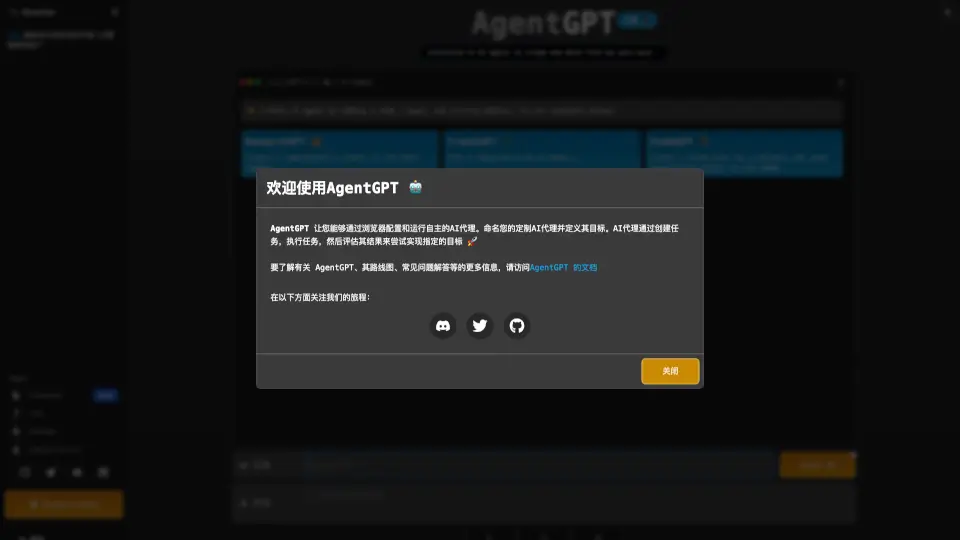
O AgentGPT é uma ferramenta inovadora que permite criar, configurar e implantar agentes de IA autônomos diretamente no seu navegador — sem precisar instalar nada. Ideal para estudantes, pesquisadores e profissionais curiosos, ele transforma ideias em ações automatizadas: basta definir um objetivo claro, e o agente cuida do resto, criando tarefas, executando-as e avaliando os resultados sozinho.
Com interface intuitiva e exemplos prontos, como ResearchGPT, TravelGPT e StudyGPT, o AgentGPT democratiza o acesso à automação inteligente. Tudo roda online, em tempo real, e você pode salvar seus agentes personalizados ao fazer login na sua conta.
Quais são as características de AgentGPT?
- Criação de agentes autônomos: Defina nome e objetivo, e o agente trabalha sozinho para alcançá-lo.
- Execução no navegador: Nada precisa ser instalado — tudo funciona diretamente no seu navegador web.
- Exemplos prontos: Use modelos como ResearchGPT ou TravelGPT para começar rapidamente.
- Avaliação contínua: O agente analisa seus próprios resultados e ajusta as próximas ações.
- Conta pessoal: Faça login para salvar, gerenciar e reutilizar seus agentes favoritos.
- Integração com modelos avançados: Usa tecnologia baseada no GPT-3.5 para raciocínio e geração de conteúdo.
- Interface amigável: Design limpo e conversacional, ideal para iniciantes e usuários avançados.
Quais são os casos de uso de AgentGPT?
- Pesquisar e resumir informações sobre uma empresa (ex: Nike) para um trabalho escolar.
- Planejar uma viagem detalhada ao Havaí, incluindo roteiro, orçamento e dicas locais.
- Criar um plano de estudos personalizado para provas, como História Mundial dos anos 1980.
- Automatizar coleta inicial de dados da web com agentes especializados em web scraping.
- Gerar relatórios abrangentes sobre tendências de mercado ou tecnologia emergente.
- Testar ideias de projeto antes de desenvolver soluções mais complexas.
Como usar AgentGPT?
- Acesse o site do AgentGPT e clique em "Login" para salvar seus agentes.
- Dê um nome ao seu agente (ex: “StudyHelper”) e defina um objetivo claro.
- Clique em Deploy para ativar o agente e observar seu processo de raciocínio (“Thinking”).
- Explore os exemplos prontos (ResearchGPT, TravelGPT etc.) se for sua primeira vez.
- Use a seção “Manage account” para revisar ou editar agentes anteriores.
- Para projetos avançados, consulte a documentação oficial do AgentGPT.