
What is VideoWeb AI?
VideoWeb AI is a web-based platform that aggregates multiple third-party AI models to generate videos, images, and music from text or image prompts. It targets creators who want access to models such as Kling, Runway, Luma AI, and Hailuo through a single interface. The vendor claims it does not collect data from uploaded or created content, and downloads are delivered without watermarks.
What are the features of VideoWeb AI?
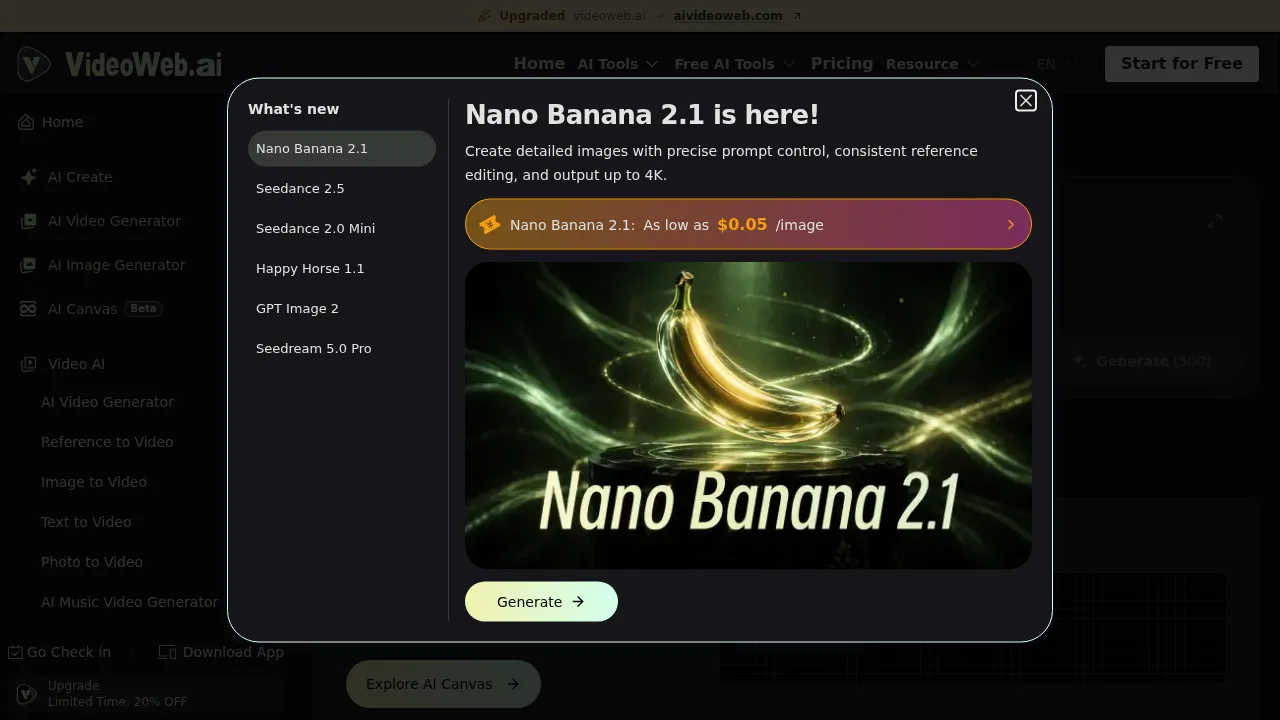
- Multi-model video generationProduces videos from text or images using integrated models including Kling 3.0, Google Veo 3.1, Seedance 2.5, Vidu 2.0, Hailuo 2.3, Pixverse 5.5, Sora 2, Runway Gen4 Turbo AI, and Luma Dream Machine.
- Image generation and editingCreates or edits images using models such as Nano Banana AI, Seedream AI, and Imagen 4, supporting tasks like headshots, old photo restoration, and style transfers.
- Music generationGenerates custom audio tracks from text, image, or audio inputs using Suno versions 3.5 through 5.0.
- AI Canvas workspaceA beta workspace that connects prompts, images, and videos in a single interface for iterative creation.
- Preset video effectsApplies specific motion or transformation templates, such as dance sequences, muscle growth, pumpkin head swaps, and handshake animations.
What are the use cases of VideoWeb AI?
- Social media short-form clipsDedicated generators produce vertical videos formatted for TikTok and Instagram Reels.
- Marketing asset creationUGC (user-generated content) video and image generators are listed under a Marketing Studio section for promotional material.
- Iterative model comparisonThe platform hosts multiple competing models side-by-side, allowing creators to test the same prompt across different engines before committing credits.
How to use VideoWeb AI?
- Select generation modeChoose between Text to Video or Image to Video on the web interface.
- Choose an AI modelPick a specific model version, such as Seedance 2.0 Mini, from the available options.
- Configure output settingsSet parameters including resolution (e.g., 720p), duration (e.g., 5s), and aspect ratio (e.g., 16:9).
- Enter inputType a text prompt into the prompt field or upload a reference image.
- Generate contentInitiate the process, which deducts the stated credit cost (e.g., 500 credits) from the account balance.
VideoWeb AI Pricing Information:
- Free tier$0; new users receive 40 credits, plus 20 credits via daily check-in. Includes basic image generations, 50 free AI tool uses daily, shared generation queue, and 15-day history. Excludes AI video generation, video effects, private generations, and commercial rights.
- Monthly - Standard$9.99 per month (listed as 20% off $19.99); provides 5,000 credits, unlimited premium features, fast generation queue, 365-day history, private generations, and commercial rights.
- Monthly - Popular$19.99 per month (listed as 40% off $39.99); provides 13,000 credits with the same feature set as the Standard plan.
- Monthly - Professional$49.99 per month (listed as 45% off $90.99); provides 35,000 credits with the same feature set as the Standard plan.
- One-Time - Ultra$19.99 one-time payment (listed as 20% off $39.99); provides 10,000 credits valid for 1 month with premium features and commercial rights.
- One-Time - More$49.99 one-time payment (listed as 25% off $66.66); provides 26,000 credits valid for 1 month.
- One-Time - Max$99.99 one-time payment (listed as 30% off $142.85); provides 56,000 credits valid for 1 month.
- One-Time - Super$199.99 one-time payment (listed as 30% off $285.7); provides 112,000 credits valid for 1 month.