What is Video Highlight?
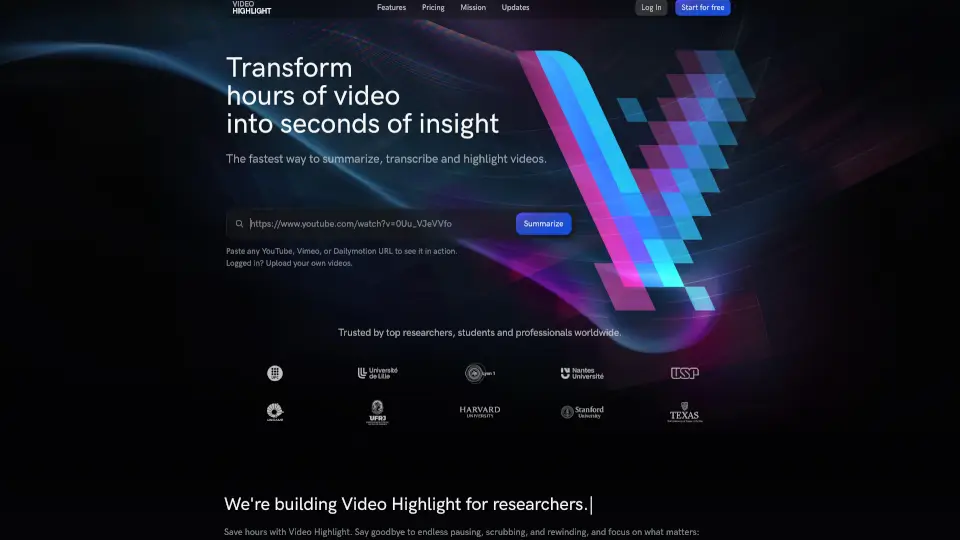
Video Highlight is a powerful, user-friendly tool designed to help you get the most out of your video content. Whether you're a student, researcher, or professional, this AI-powered platform transforms hours of video into minutes of insight. With features like instant summarization, transcription, and note-taking, Video Highlight makes it easy to find, understand, and engage with the key points in any video. Say goodbye to endless pausing and rewinding, and hello to a more efficient way of learning and working.
What are the features of Video Highlight?
- Summaries: Get a quick overview of the video with timestamped summaries.
- Key Points: Extract the main ideas and their location in the video.
- Transcripts: Quickly transcribe video content in multiple languages.
- Smart Search: Find specific topics or keywords in the summary or transcript.
- Chat & Video Q&A: Engage with the content using interactive Q&A features.
- Highlights & Notes: Bookmark important sections and take notes, just like with a Kindle.
- Playlists: Organize videos into collections for easy access.
- Export: Send summaries and highlights to Notion or Readwise for further use.
What are the use cases of Video Highlight?
- Research and Analysis: Quickly analyze and summarize research videos, saving hours of manual work.
- Education: Students can use Video Highlight to review lectures, extract key points, and prepare for exams.
- Professional Development: Professionals can stay up-to-date with industry trends by summarizing and highlighting key moments in webinars and training videos.
- Content Creation: Creators can use the tool to organize and manage their video content, making it easier to reference and reuse.
- Language Learning: Transcribe and translate videos in different languages, making it a valuable tool for language learners.
- Personal Development: Summarize and highlight key points from motivational and self-help videos for personal growth.
How to use Video Highlight?
- Paste a URL: Enter the YouTube, Vimeo, or Dailymotion video URL to start.
- Upload Your Videos: If you're logged in, you can upload your own private videos.
- Generate Summaries and Transcripts: Click on the "Summarize" or "Transcribe" button to get instant results.
- Take Notes and Highlights: Use the highlight and note-taking features to mark important sections.
- Search and Navigate: Use the smart search to find specific topics or jump to key timestamps.
- Export to Other Tools: Export your summaries and highlights to Notion or Readwise for further use.