
What is SVG to 3D?
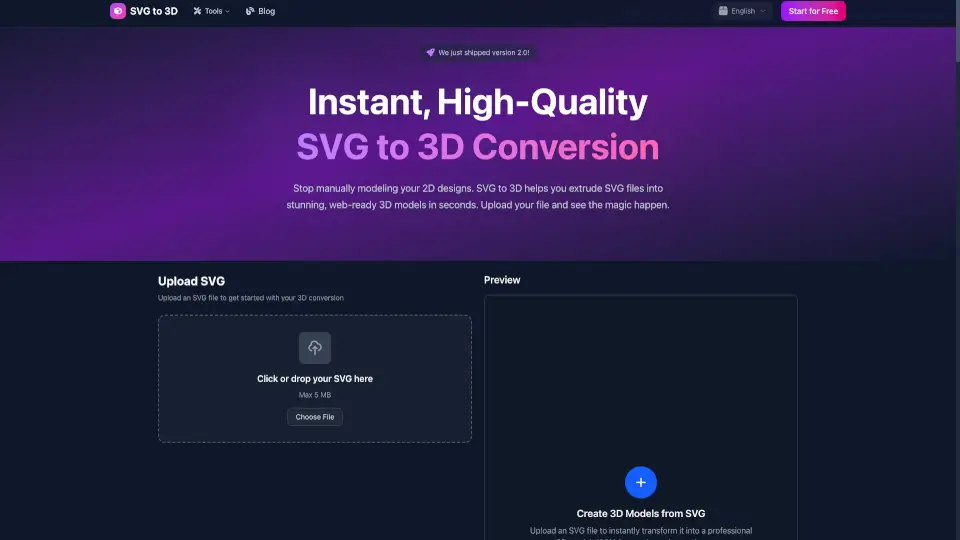
SVG to 3D Converter lets you turn your 2D SVG designs into stunning 3D models instantly and for free. No downloads or complicated software needed—just upload your SVG and get professional-quality 3D files like GLB, STL, or PNG in seconds. Customize thickness, materials, and lighting to make your models pop.
What are the features of SVG to 3D?
- Instant Conversion: Upload SVG files and get 3D models in seconds.
- Multiple Export Formats: Download your 3D creations as GLB, GLTF, OBJ, or STL.
- Customizable 3D Settings: Adjust thickness, bevels, and apply realistic PBR materials.
- Clean, Optimized Geometry: Perfect for web projects and 3D printing.
- Web-Ready GLB Export: Ideal for React Three Fiber, Three.js, and Babylon.js.
- Privacy First: Files processed locally in your browser when possible—no unnecessary uploads.
- Batch Conversion: Convert multiple SVG files at once for faster workflows.
- Fast and Free: No registration or fees, with 24/7 uptime and support.
What are the use cases of SVG to 3D?
- Create interactive 3D logos and icons for websites.
- Prepare SVG designs for 3D printing with clean STL exports.
- Add depth and lighting to UI/UX mockups for client presentations.
- Quickly generate 3D assets for React Three Fiber and other 3D frameworks.
- Turn simple SVG art into professional 3D models without complex CAD software.
How to use SVG to 3D?
- Upload your SVG file by dragging it in or browsing your computer (max 5MB).
- Use sliders to adjust thickness, bevels, and materials while previewing your model in real time.
- Export your finished 3D model as GLB, GLTF, OBJ, or STL for your project.
- For batch jobs, upload multiple SVGs and convert them all at once.