
What is Suno Downloader?
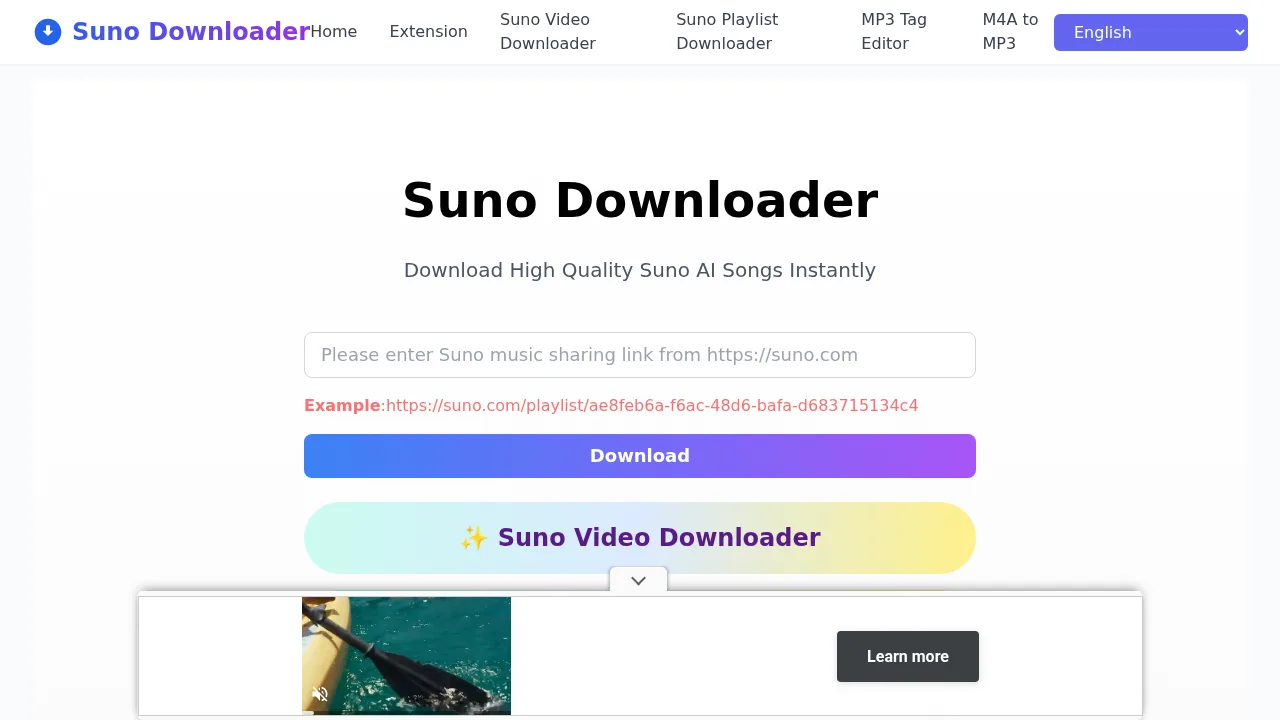
Suno Downloader is a web-based tool for saving songs generated on Suno AI as local audio files. It operates through any device with a browser and requires no user registration or account creation to access the download function.
What are the features of Suno Downloader?
- Audio format outputDownloads Suno AI songs in MP3, WAV, and FLAC formats.
- Link-based retrievalAccepts a shared Suno URL as input to locate and process the corresponding track.
- Playlist supportIncludes a dedicated playlist downloader (Suno Playlist Downloader) for batch processing.
- Video extractionOffers a video downloader (Suno Video Downloader) option alongside audio formats.
- Metadata editingProvides an MP3 tag editor (MP3 Tag Editor) for modifying downloaded file information.
What are the use cases of Suno Downloader?
- Saving another user's trackDownloading a song created by someone else by copying its share link from suno.com.
- Archiving personal creationsRetrieving your own Suno-generated music as high-quality local files without logging into a separate service.
How to use Suno Downloader?
- Copy the share linkOpen suno.com and click the share button above the desired song to obtain its URL.
- Paste the URLNavigate to the Suno Downloader website and paste the copied link into the input form at the top of the page.
- Initiate processingClick the download button below the form to retrieve the song details.
- Save the fileClick the final download button presented with the song details to save the file through your browser.
Suno Downloader Pricing Information:
- Free accessCompletely free to use with no stated limit on the number of downloads and no registration requirement.