
What is ClonewebX?
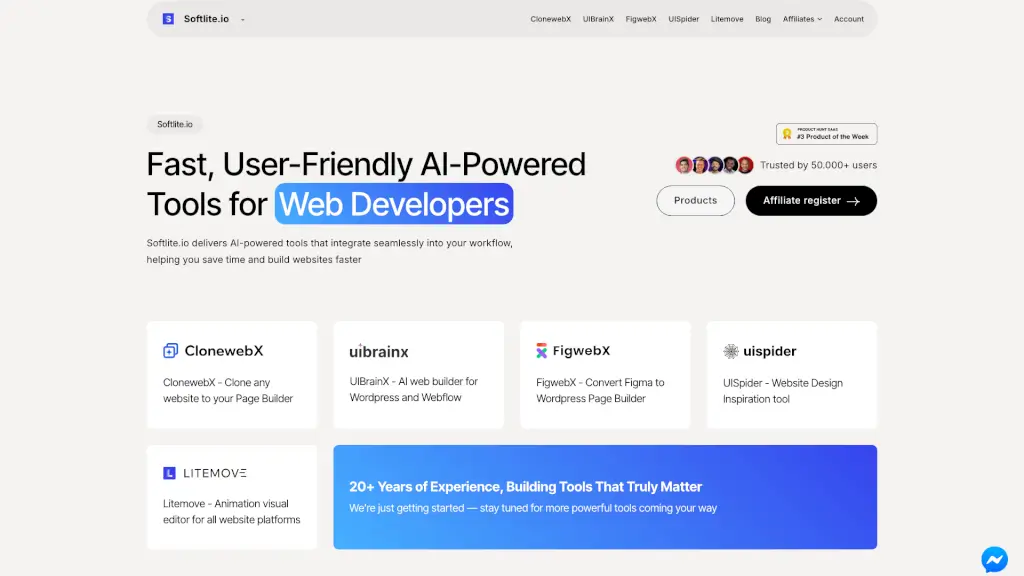
Soflite.io offers a suite of fast, user-friendly SaaS tools built specifically for web developers and designers who want to work smarter—not harder. Powered by AI and designed with real-world workflows in mind, these tools help you clone websites, convert Figma designs, generate animations, and find design inspiration—all without switching tabs or wrestling with clunky interfaces.
Whether you're building client sites in WordPress, Webflow, or another platform, Soflite.io’s products integrate seamlessly into your existing process. Trusted by over 50,000 users, the platform combines 20+ years of industry experience with modern AI capabilities to save you hours every week while keeping creative control firmly in your hands.
What are the features of ClonewebX?
- ClonewebX: Instantly clone any live website directly into your favorite page builder—perfect for redesigns or rapid prototyping.
- UIBrainX: An AI-powered web builder that generates complete WordPress or Webflow sites from simple text prompts or wireframes.
- FigwebX: Convert Figma designs into clean, editable WordPress page builder code in seconds—no manual rebuilding needed.
- UISpider: Discover and save real-world website design inspiration with smart filtering by layout, color, interaction, and more.
- Litemove: A visual animation editor that works across all major website platforms, letting you add scroll-triggered effects without coding.
- Cross-Platform Compatibility: All tools are built to work smoothly with WordPress, Webflow, Elementor, Divi, and other popular builders.
What are the use cases of ClonewebX?
- A freelance developer quickly clones a client’s outdated site into Webflow using ClonewebX to propose a modern redesign.
- A small agency uses FigwebX to turn a Figma mockup from their designer into a functional WordPress site in under 10 minutes.
- A solo creator browses UISpider to find homepage layouts that convert well, then replicates the structure using UIBrainX.
- An e-commerce brand adds subtle scroll animations to product pages using Litemove—no developer required.
- A startup team uses UIBrainX to generate a landing page from a rough idea, then refines it collaboratively in their page builder.
- A digital marketer tests multiple versions of a campaign page by cloning and tweaking variants with ClonewebX.
How to use ClonewebX?
- Sign up for a free account at Soflite.io to access all tools with limited trial usage.
- Choose the right tool for your task—e.g., use FigwebX for Figma-to-WordPress conversion or Litemove for animations.
- Connect your preferred page builder (like Webflow or WordPress) when prompted during setup.
- Follow the in-app guided workflow—most tools require just a URL, file upload, or short prompt to get started.
- Export or sync your output directly into your project; no copy-pasting or manual cleanup needed.
- Upgrade to a paid plan for unlimited exports, faster processing, and priority support.