
What is Linguix?
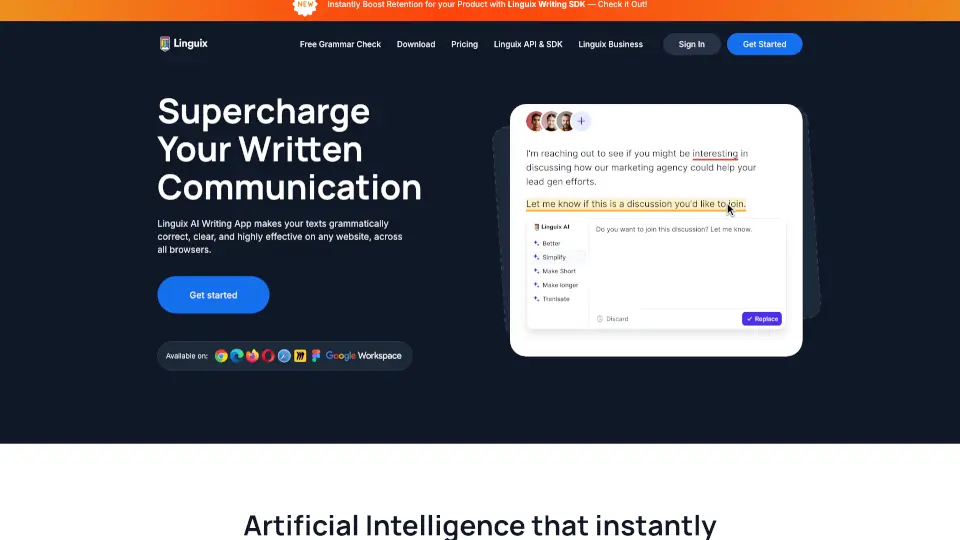
Linguix is a smart AI-powered writing assistant that helps you write clearly, correctly, and confidently—right where you already work online. Whether you're drafting an email in Gmail, creating content in Google Docs, or posting on social media, Linguix checks your grammar, spelling, and style in real time across six languages: English, French, German, Spanish, Portuguese, Italian, and Polish.
Unlike basic spellcheckers, Linguix doesn’t just fix errors—it actively improves your writing. With features like AI rewriting, personalized shortcuts, and a unique Content Score, it helps individuals and teams communicate more effectively while saving serious time. Best of all? You can start using it for free with a browser extension that works on millions of websites.
What are the features of Linguix?
- Multilingual Grammar & Spell CheckAutomatically detects and corrects errors in 7 languages with context-aware suggestions.
- AI-Based Writing AssistantOffers smart fixes for grammar, punctuation, tone, and clarity to make your message more effective.
- Text RewriterInstantly rephrase sentences to sound more professional, concise, or engaging—directly in your browser.
- Content ScoreGet a quality rating based on sentence structure, vocabulary, passive voice, and readability to benchmark your writing.
- Smart ShortcutsType “//intro” or other custom commands to expand full email templates in seconds—cutting writing time by up to 90%.
- Custom Style GuidesEnforce brand voice, inclusive language, and company-specific terms (like executive titles) across your team.
- Team Management DashboardTrack individual performance, error trends, and readability stats with detailed reports and email summaries.
What are the use cases of Linguix?
- Sales reps crafting personalized outreach emails that convert
- Marketing teams ensuring error-free blog posts, ads, and social captions
- Customer support agents responding faster with consistent, professional replies
- Students and professionals proofreading essays, reports, or resumes
- Non-native speakers writing confidently in English or other supported languages
- Remote teams maintaining clear, on-brand communication across emails and docs
How to use Linguix?
- Install the free Linguix browser extension for Chrome or Edge from the official website.
- Start typing anywhere online—Gmail, Google Docs, Canva, LinkedIn—and see suggestions appear instantly.
- Click on highlighted errors to accept corrections or use the sidebar to rewrite sentences.
- Create your own text shortcuts (like "//thankyou") in settings to auto-expand common phrases.
- Enable your team’s custom Style Guide to auto-flag inconsistent or unprofessional wording.
- Check your Content Score after writing to see how your text compares to high-quality benchmarks.