
What is Grammarly?
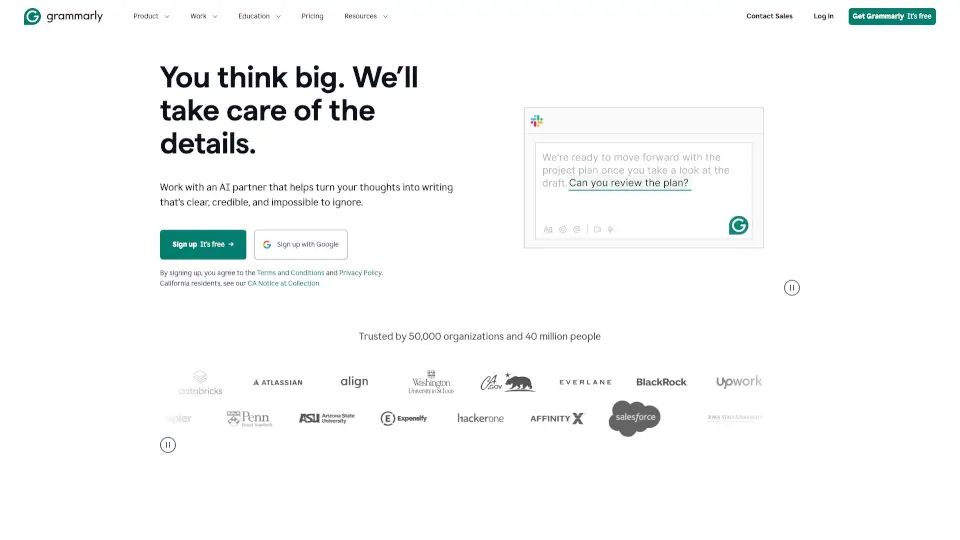
Grammarly is your AI-powered writing assistant that helps you write clearly, confidently, and correctly—whether you're drafting an email, polishing a report, or posting on social media. It works everywhere you write online, offering real-time suggestions to fix grammar, improve tone, and even generate new text.
More than just a spellchecker, Grammarly uses responsible AI to enhance your unique voice—not replace it. Trusted by over 40 million people and 50,000 organizations, it adapts to your style, audience, and goals so your message lands exactly as intended.
What are the features of Grammarly?
- Grammar & Spell CheckerCatches typos, punctuation errors, and grammatical mistakes in real time.
- Tone Detector & SuggestionsHelps you adjust your message to sound professional, friendly, confident, or empathetic based on context.
- AI Writing AssistantGenerates full sentences, rewrites paragraphs, and offers 100–2,000+ AI prompts (depending on plan) to spark ideas.
- AI HumanizerAdds natural flow and personality to AI-generated or stiff-sounding text.
- Plagiarism CheckerScans billions of web pages to ensure your work is original (available in paid plans).
- Brand Tone & Style Guide SupportKeeps team writing consistent with your organization’s voice (ideal for marketing, HR, and customer support).
- AI DetectorIdentifies AI-generated content and suggests human-like revisions.
- Cross-Platform CompatibilityWorks seamlessly in Google Docs, Microsoft Word, Gmail, LinkedIn, Slack, and more via browser extensions and apps.
What are the use cases of Grammarly?
- Students polishing essays and research papers while avoiding accidental plagiarism.
- Remote teams collaborating on client emails, proposals, or internal docs with consistent tone.
- Job seekers crafting resumes and cover letters that stand out with clear, compelling language.
- Marketers ensuring brand messaging stays on-point across campaigns and social posts.
- Customer support agents responding quickly while maintaining empathy and professionalism.
- Non-native English speakers gaining confidence in everyday business and academic writing.
- HR professionals drafting inclusive job descriptions and employee communications.
- Freelancers delivering error-free, client-ready content faster.
How to use Grammarly?
- Install the free Grammarly browser extension (for Chrome, Safari, Firefox, or Edge) to get writing help on most websites.
- Sign up for a free account at grammarly.com using your email or Google account.
- Start typing anywhere—Grammarly automatically checks your text and shows suggestions as you write.
- Click on underlined words or phrases to see corrections and explanations.
- Use the “Rewrite” button to instantly improve clarity, conciseness, or tone with one click.
- Upgrade to Grammarly Pro or Teams for advanced features like plagiarism detection, full-sentence rewrites, and brand tone enforcement.