
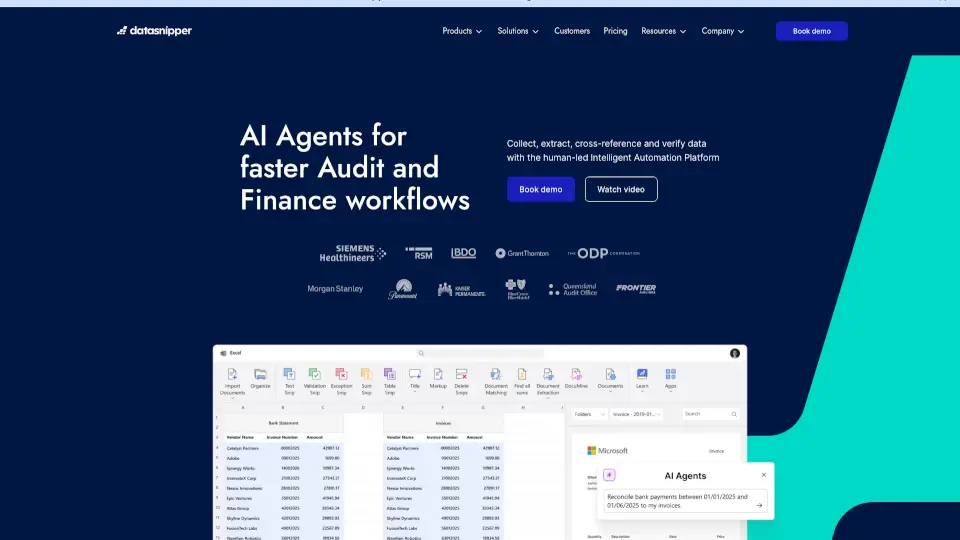
What is DataSnipper?
DataSnipper is an intelligent automation tool built specifically for finance and audit professionals who work extensively in Microsoft Excel. It transforms how teams extract, verify, and analyze data from complex financial documents—like bank statements, invoices, and trial balances—by combining human judgment with AI-powered accuracy. Instead of manually copying numbers or cross-referencing spreadsheets, users can automate repetitive tasks while maintaining full control and auditability.
Originally developed by auditors for auditors, DataSnipper integrates directly into Excel as an add-in, making it feel like a natural extension of your workflow. It’s trusted by top accounting firms and corporate finance teams worldwide to reduce errors, save hours of manual work, and strengthen the reliability of financial reporting—all without leaving the familiar Excel environment.
What are the features of DataSnipper?
- Smart Data ExtractionAutomatically pulls structured and unstructured data from PDFs, images, and scanned documents into Excel using AI and OCR.
- Audit-Ready DocumentationCreates a clear, tamper-proof audit trail that shows exactly where every number came from—critical for compliance and reviews.
- Excel-Native IntegrationWorks entirely inside Microsoft Excel as a seamless add-in; no need to switch between platforms or learn new software.
- Flexible Verification ToolsLets users review, adjust, and validate extracted data with intuitive highlighting and annotation features.
- Template-Based AutomationSave and reuse extraction rules across similar documents (e.g., monthly bank reconciliations) to speed up recurring tasks.
- Secure & CompliantHosted on Microsoft Azure with enterprise-grade security, ensuring sensitive financial data stays protected.
What are the use cases of DataSnipper?
- Auditors verifying hundreds of bank statement line items during year-end audits
- Finance teams automating accounts payable invoice processing from scanned PDFs
- Internal controllers reconciling intercompany transactions across multiple subsidiaries
- Tax professionals extracting data from client-provided financial statements for tax prep
- Accounting departments converting legacy paper records into digital, analyzable formats
- Consultants standardizing client data inputs for consistent financial modeling
How to use DataSnipper?
- Install the DataSnipper add-in from the official website and log in with your credentials
- Open your source document (PDF, image, or Excel file) alongside your working Excel sheet
- Use the “Snip” tool to select data regions you want to extract—DataSnipper auto-processes them
- Review highlighted extractions, correct any discrepancies using verification tools, and accept
- Reuse saved templates for future documents of the same type to automate repeat jobs
- Export or share your workbook knowing every data point includes a full source reference