What is Cosmic JS?
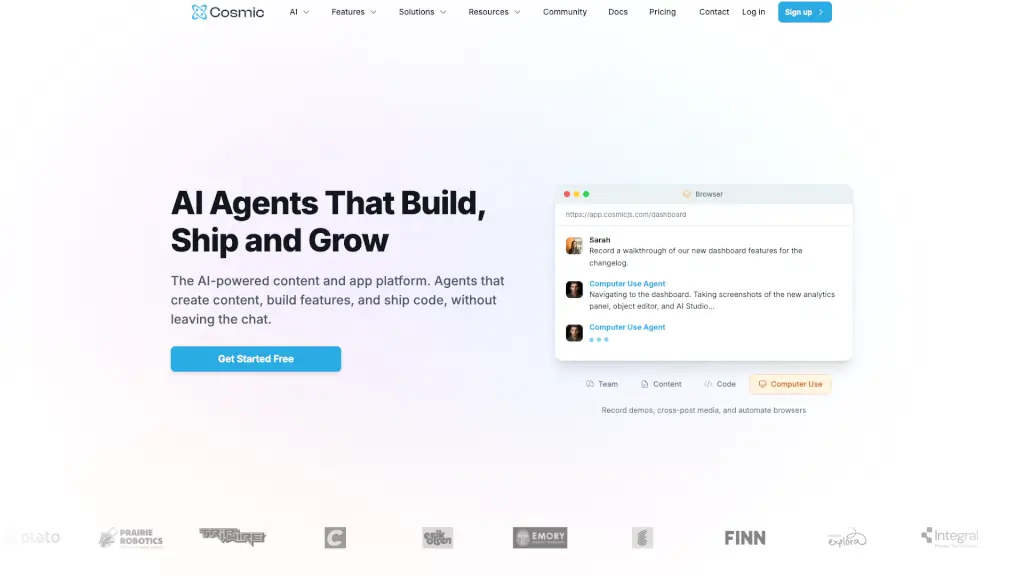
Cosmic is an AI-powered headless CMS that helps teams build, deploy, and scale websites and apps up to 10x faster. Instead of wrestling with complex backends or waiting days for content updates, Cosmic uses smart AI agents that create blog posts, generate code, fix bugs, and even publish directly from chat tools like Slack or WhatsApp.
What makes Cosmic stand out is how it blends content management with autonomous AI teammates. These agents don’t just suggest ideas—they execute tasks: writing SEO-optimized articles, building full-stack apps, scheduling social posts, and shipping fixes without human intervention. Whether you're a solo developer or part of a marketing team, Cosmic cuts through workflow friction so you can focus on what matters.
What are the features of Cosmic JS?
- AI Agents: Autonomous assistants that write content, build features, triage bugs, and deploy updates—all triggered by natural language commands.
- Team Agents: Bring your CMS into Slack, WhatsApp, and Telegram, letting you manage content and code without switching apps.
- Cosmic CLI: One command generates a complete app (like a Next.js recipe blog), connects it to your CMS, and deploys it instantly.
- AI Studio: Create and publish blog posts, product pages, or marketing copy using simple prompts—complete with images, metadata, and internal links.
- Built-in Workflows: Automate standups, audits, deployments, and content pipelines on a schedule or in response to triggers.
- Enterprise-Grade Infrastructure: Enjoy 99.9% uptime, global CDN, 256-bit SSL encryption, role-based access, and full data portability.
What are the use cases of Cosmic JS?
- A marketing team publishes weekly blog posts automatically based on performance insights from the AI CMO agent.
- Developers describe a feature in plain English (“Add user login with OAuth”) and get a ready-to-review pull request with tests.
- E-commerce brands update product listings across channels via WhatsApp messages to their Cosmic agent.
- Startups launch MVP websites in minutes using the CLI, with content models and frontend code generated by AI.
- Support teams auto-triage bug reports from Slack and deploy hotfixes to staging without manual coding.
- Content editors schedule social media promotions right after a new article goes live—all from a chat interface.
How to use Cosmic JS?
- Sign up for free at cosmicjs.com—no credit card needed.
- Install the Cosmic CLI with
npm install -g @cosmicjs/cliand log in. - Create a project using a prompt like “A modern recipe blog with search” to auto-generate your app and content model.
- Invite Team Agents to your Slack or WhatsApp to start managing content via chat.
- Use natural language in the dashboard or chat to ask your AI agent to “Write a post about authentication patterns” or “Deploy to production.”
- Monitor published content, PRs, and analytics all from the unified Cosmic Dashboard.