What is Aider?
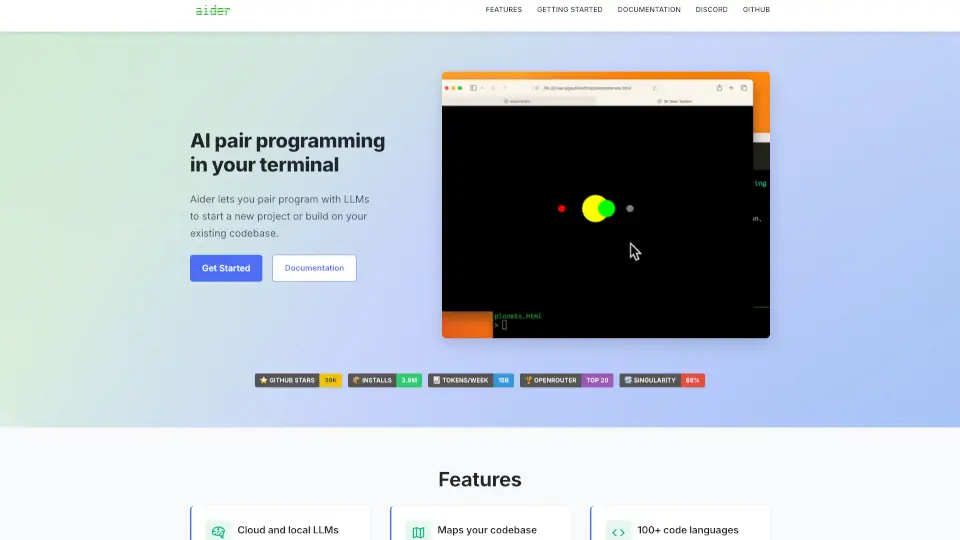
Aider is your go-to AI pair programming tool that works right in your terminal. Whether you're starting a new project or enhancing your existing code, Aider makes coding easier and more efficient.
What are the features of Aider?
- Cloud and Local LLMs: Aider connects with various models like Claude 3.7 Sonnet and OpenAI's GPT-4o, ensuring flexibility in your coding environment.
- Codebase Mapping: It creates a map of your entire codebase, making it easier to navigate larger projects.
- Support for 100+ Languages: Aider works with popular programming languages such as Python, JavaScript, Rust, and more.
- Git Integration: Automatically commits changes with sensible messages, allowing you to manage and undo AI modifications easily.
- IDE Compatibility: Use Aider directly in your favorite IDE or editor by adding comments to your code.
- Visual Context: You can add images and web pages to provide context, making collaboration smoother.
- Voice-to-Code: Speak your requests, and Aider will implement changes based on your voice commands.
- Linting & Testing: Automatically lint and test your code with every change Aider makes, ensuring quality.
- Web Chat Interface: Aider can also work through a web chat interface for easy code sharing.
What are the use cases of Aider?
- New Project Setup: Quickly start coding with AI assistance.
- Code Review: Get suggestions and improvements on existing code.
- Feature Requests: Easily request new features or bug fixes.
- Learning Tool: Use Aider to understand coding concepts better.
How to use Aider?
- Install Aider using pip:
python -m pip install aider-install - Change directory to your project:
cd /to/your/project - Connect to your preferred model, e.g., for DeepSeek:
aider --model deepseek --api-key deepseek=<key>