
What is AgainstData?
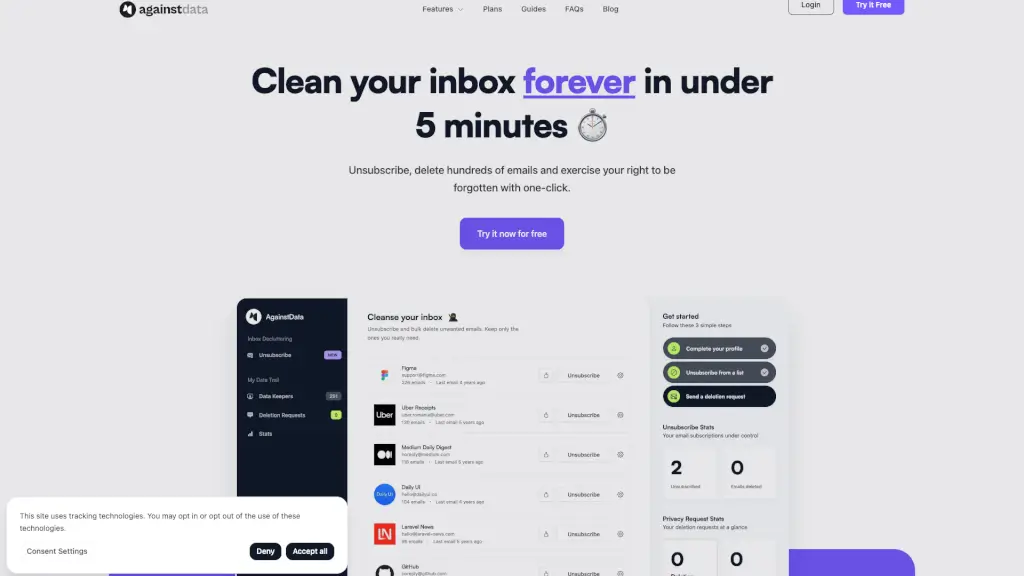
Tired of drowning in newsletters, promotions, and spam? AgainstData is your all-in-one tool to unsubscribe from emails, delete personal data, and reclaim control of your inbox—fast. In under 5 minutes, you can clear hundreds of unwanted messages and exercise your right to be forgotten with just one click.
Unlike basic unsubscribe tools, AgainstData goes further: it not only stops future emails but also helps you demand deletion of your stored personal data from companies worldwide. Backed by privacy laws like GDPR and CCPA, it sends legally valid requests on your behalf—so you’re not just unsubscribing, you’re truly erasing your digital footprint.
What are the features of AgainstData?
- One-Click Unsubscribe: Instantly opt out of hundreds of mailing lists without opening each email.
- Bulk Email Deletion: Wipe out entire categories of emails (like “Unsubscribe” or “Allow”) in seconds to free up storage.
- Personal Data Deletion Requests: Automatically send legal templates to companies asking them to delete your personal information.
- Mailing List Detection: Smart algorithms scan your inbox to identify which senders are cluttering it.
- CO2 Footprint Reduction: Reduce your digital carbon footprint by deleting unnecessary emails that consume energy.
- Google Account Integration: Secure login via Google—no new passwords to remember.
What are the use cases of AgainstData?
- You’ve signed up for dozens of newsletters over the years and now want a clean inbox reset.
- You’re concerned about privacy and want to know which companies store your data—and make them delete it.
- Your work or personal Gmail is overflowing with 10,000+ unread emails, making it hard to find important messages.
- You’re preparing for inbox zero and need a fast way to mass-delete promotional content.
- You want to reduce digital clutter and lower your environmental impact by minimizing stored data.
- As a busy professional, you need to save time daily by automating email cleanup.
How to use AgainstData?
- Log in securely using your Google account—no setup required.
- Let AgainstData scan your inbox to identify mailing lists and bulk senders.
- Click “Unsubscribe” to instantly opt out of selected senders.
- Use bulk delete to remove all emails from unsubscribed or allowed lists at once.
- Activate the data deletion feature to send automatic legal requests to companies holding your info.
- Review your cleaned inbox and enjoy more space, less stress, and better focus.