What is Verdent?
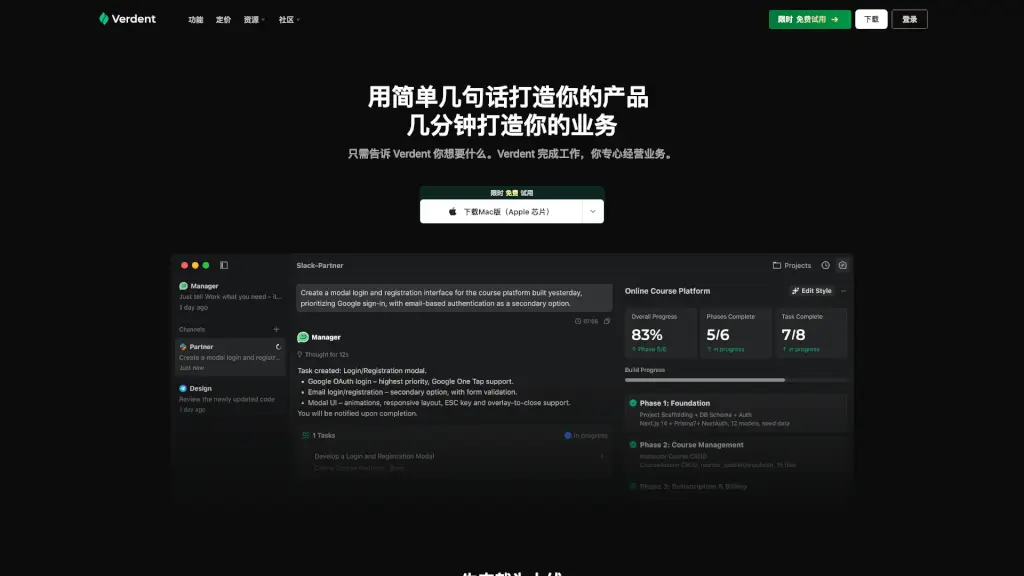
Verdent AI is a smart coding assistant that works like a team of AI developers—collaborating with you in real time to build full, production-ready software. Instead of just writing code snippets, Verdent understands your entire project context and handles everything from login systems and databases to payment integrations and admin dashboards.
What makes Verdent different? It doesn’t just react—it plans, executes, and manages tasks on its own. You describe what you want in plain English (or any idea format), and Verdent breaks it down, prioritizes work, writes tested code, and only interrupts you when a real decision is needed. Whether you're a solo founder or part of a dev team, Verdent helps you ship complete products faster—without hiring or managing extra engineers.
What are the features of Verdent?
- Multi-Agent Parallel Programming: Multiple AI agents work simultaneously on different parts of your project for faster, coordinated development.
- Plan Mode: Verdent creates and follows a strategic roadmap for your app, ensuring coherent architecture and consistent progress.
- BYOK (Bring Your Own Key): Use your own API keys for greater control, privacy, and cost management.
- Eco Mode: A cost-efficient mode that reduces token usage while maintaining high-quality output—ideal for budget-conscious users.
- Full-Stack Code Generation: Builds complete, deployable apps—including auth, data storage, payments, and admin panels—not just frontend mockups.
- Context-Aware Continuity: Remembers your preferences and project history so every new feature integrates seamlessly with what’s already built.
- Cross-Platform Support: Works natively in VS Code, JetBrains IDEs, and as a desktop app for Mac (Apple Silicon & Intel) and Windows.
- External Messaging Integration: Send ideas via Slack or Telegram anytime—even when you’re away from your computer—and Verdent keeps working.
What are the use cases of Verdent?
- A solo game developer describes a gothic roguelike concept and gets a playable build with sprites, bug fixes, and refactored architecture in under 12 hours.
- A growth marketer replaces a multi-day data engineering task by asking Verdent to create a self-service Google Ads analytics pipeline—in minutes.
- A non-technical founder builds a subscription-based SaaS product with user logins, payment processing, and an admin dashboard—without writing a single line of code.
- A busy developer adds a new feature (like email notifications) while offline, just by messaging Verdent on Slack during a commute.
- Teams use Verdent to maintain consistent code quality and architecture across sprints, reducing technical debt and review cycles.
How to use Verdent?
- Install Verdent for your preferred environment: VS Code, JetBrains, or download the Mac/Windows desktop app.
- Sign up for the free trial and connect your project repository or start fresh.
- Describe your goal in simple terms—e.g., “Add user sign-up with email confirmation and Stripe billing.”
- Let Verdent plan and execute; it will only ask for input at key decision points.
- Review completed work, test the implementation, and approve or request tweaks.
- Use Eco Mode or BYOK settings in preferences to optimize cost and control as your project scales.