What is Tableau?
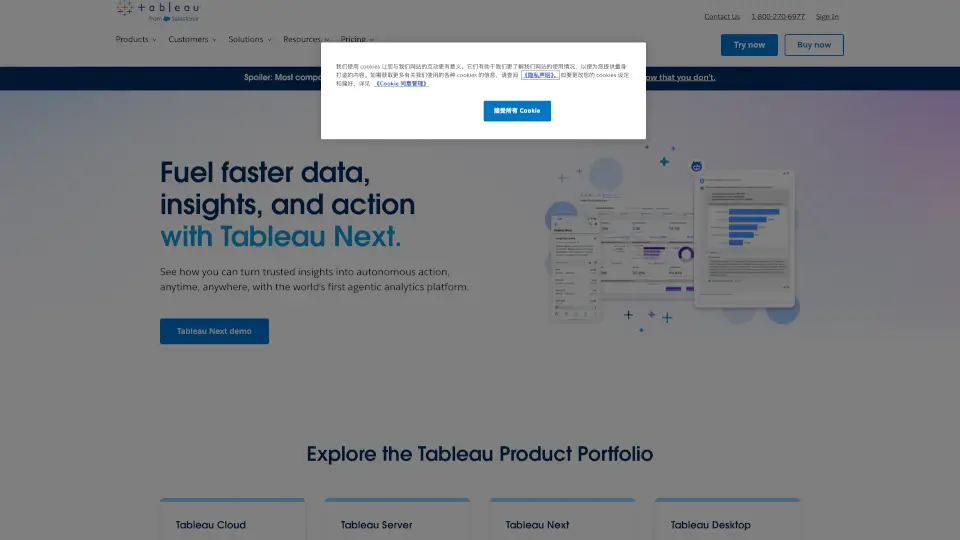
Tableau is a powerful and user-friendly business intelligence and analytics software that helps you see and understand your data. Whether you're a business leader, an analyst, or a developer, Tableau makes it easy to connect to almost any database, create stunning visualizations with a simple drag-and-drop interface, and share insights with just a click. With Tableau, you can turn complex data into clear, actionable insights, making it a go-to tool for anyone who wants to make data-driven decisions.
What are the features of Tableau?
- Data Connectivity: Connect to almost any database, from spreadsheets to cloud services, and bring all your data together in one place.
- Drag-and-Drop Interface: Create beautiful and insightful visualizations without needing to write a single line of code.
- Sharing and Collaboration: Share your dashboards and reports with colleagues, partners, or the public, and collaborate in real-time.
- AI-Powered Insights: Get intelligent, AI-driven suggestions and automated insights to help you discover patterns and trends faster.
- Flexible Deployment: Choose between fully hosted cloud solutions, self-hosted servers, or even work offline with Tableau Desktop.
- Governance and Security: Ensure your data is secure and compliant with robust governance and security features.
What are the use cases of Tableau?
- Business Intelligence Reporting: Generate comprehensive reports and dashboards to track KPIs and performance metrics.
- Data Visualization: Create interactive and visually appealing charts, graphs, and maps to communicate insights effectively.
- Sales and Marketing Analysis: Analyze customer data, sales trends, and marketing campaigns to optimize strategies and boost ROI.
- Financial Planning and Analysis: Build detailed financial models and forecasts to support budgeting and strategic planning.
- Healthcare Data Analysis: Visualize patient outcomes, operational efficiency, and resource allocation in healthcare settings.
- Educational Analytics: Track student performance, enrollment trends, and educational outcomes to improve teaching and learning.
How to use Tableau?
- Connect to Your Data: Start by connecting to your data sources, whether they are in the cloud, on-premises, or in spreadsheets.
- Create a New Workbook: Open a new workbook and start dragging and dropping fields to create your first visualization.
- Customize Your Viz: Use the formatting tools to customize colors, labels, and other elements to make your viz more engaging.
- Build a Dashboard: Combine multiple visualizations into a dashboard to provide a comprehensive view of your data.
- Share Your Insights: Publish your dashboard to Tableau Server or Tableau Cloud and share it with others via a link or email.
- Collaborate and Iterate: Work with your team to gather feedback and make improvements to your visualizations and dashboards.