What is NopeCHA?
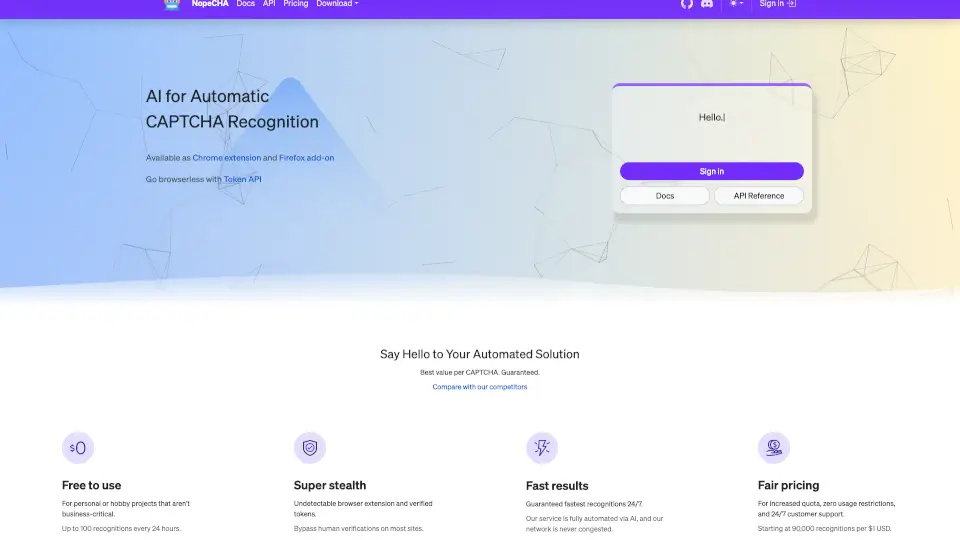
NopeCHA is an AI-powered CAPTCHA solver designed for developers, testers, and automation users who need to bypass hCaptcha, reCAPTCHA, AWS WAF CAPTCHA, Arkose, FunCAPTCHA, GeeTest, and other human verification systems. It works as a browser extension (Chrome, Firefox, Edge) or via a Token API for browserless automation. The tool uses AI recognition to deliver fast, stealthy results, with a free tier offering up to 100 recognitions every 24 hours. It integrates with Selenium, Puppeteer, and Playwright, and provides SDKs for Python and Node.js.
What are the features of NopeCHA?
- Multi-Platform Browser Extension: Available for Chrome, Firefox, and Edge – install the extension to automatically solve CAPTCHAs on any site without manual intervention.
- Token API for Browserless Workflows: Use the Token API to solve reCAPTCHA V2/V3, hCaptcha, and Cloudflare Turnstile directly from your backend, compatible with Selenium, Puppeteer, and Playwright.
- Cross-Language SDKs: Python (pip) and Node.js (npm) libraries let developers integrate CAPTCHA solving into their own scripts and automation pipelines with minimal setup.
- Free Tier with Daily Quota: Get up to 100 recognitions every 24 hours at no cost – suitable for personal or non-critical hobby projects, with paid plans starting at 90,000 recognitions per $1 USD.
- Stealth and Speed: The extension is designed to be undetectable, and the AI network operates 24/7 for fast, reliable recognition without congestion delays.
- Supported CAPTCHA Types: Handles Google reCAPTCHA, hCaptcha, AWS WAF, Arkose, FunCAPTCHA, GeeTest, Lemin, Text-based CAPTCHA, and Human (PerimeterX) – continuously adding new types.
What are the use cases of NopeCHA?
- QA and Test Automation Engineers: Automate end-to-end tests that involve CAPTCHA walls, using the Token API or extension to bypass verification without manual input.
- Web Scraping and Data Collection Teams: Build scrapers that can handle hCaptcha and reCAPTCHA on target sites, integrating the Python SDK for headless browser workflows.
- Hobbyist Developers: Solve CAPTCHAs on personal projects or small automation scripts for free, leveraging the 100-daily recognition limit.
- E-commerce and Form Automation: Automate bulk account creation, checkout flows, or submission processes that require human verification on platforms like Cloudflare Turnstile.
How to use NopeCHA?
- Install the browser extension: Go to the Chrome Web Store or Firefox Add-ons page, add NopeCHA to your browser, and sign in with your account.
- Use the Token API: Get an API key from your account dashboard, then call the endpoint with the CAPTCHA type and site key to receive a solved token.
- Integrate the Python SDK: Run
pip install nopechain your project, then import and call the solve function with your API key and CAPTCHA parameters. - Monitor your usage: Check the Activity Monitor in your account to see daily recognition counts and estimate costs before scaling up.