What is Muse.ai?
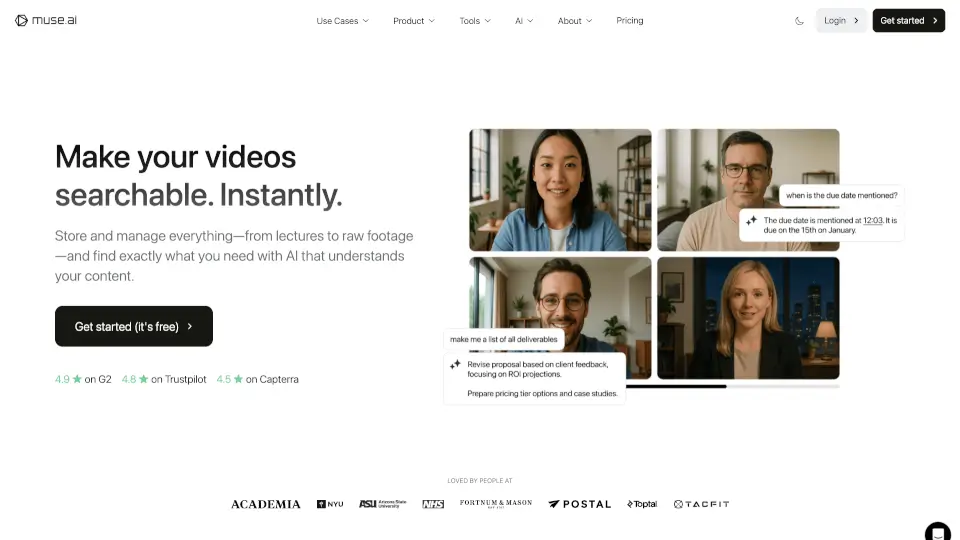
Skiv is a next-generation ad-free video hosting platform that makes managing, sharing, and discovering video content incredibly simple. Built for creators, educators, teams, and businesses, Skiv combines powerful AI with an elegant, distraction-free experience—so you can focus on your message, not the tech.
What sets Skiv apart is its AI-powered video search that understands speech, text, people, objects, and even abstract ideas like “happy moment” or “mysterious atmosphere.” Whether you’re running online courses, hosting team meetings, or launching a subscription service, Skiv gives you full control—with no ads, no tracking, and total privacy by default.
What are the features of Muse.ai?
- AI Video SearchSearch inside videos for spoken words, on-screen text, faces, sounds, and concepts—like using Google for your own video library.
- Ad-Free Hosting & PlayerHost and stream videos without ads, distractions, or competitor recommendations. Your content stays front and center.
- Auto Transcriptions & SubtitlesEvery upload gets an instant, editable transcript in English, boosting accessibility and SEO.
- Customizable Embed PlayerAdd your logo, brand colors, call-to-action screens, and even custom CSS—all with a responsive HTML5 player.
- Skiv PortalsLaunch your own branded streaming site with paid or free subscription tiers—billing and user management included.
- Free Browser-Based RecorderRecord screen + camera directly in your browser—no downloads, no extensions, ready to share instantly.
- Team Collaboration (Skiv Teams)Invite coworkers securely, manage permissions, and build shared knowledge bases with AI-powered search.
- Monetization ToolsSell videos directly or via subscriptions through Skiv Portals or Skiv Market—no third-party platforms needed.
What are the use cases of Muse.ai?
- Online educatorscreating searchable video courses where students can instantly find lecture moments by topic or keyword.
- Marketing teamsembedding interactive, branded videos on websites with CTAs and analytics—without YouTube distractions.
- Event organizersarchiving conference talks and letting attendees search for specific sessions or speaker quotes.
- Remote teamsbuilding a private video knowledge base for onboarding, demos, or internal updates—accessible from any device.
- Content creatorslaunching their own Netflix-style subscription service with custom tiers and zero platform fees.
- Podcastersoffering auto-transcribed episodes with in-audio search so listeners can jump to key moments.
- Sales professionalssharing personalized demo videos with password protection, expiration dates, or geo-restrictions.
How to use Muse.ai?
- Sign up at skiv.com and start with the free plan—no credit card required.
- Upload a video or use the built-in screen + camera recorder right from your browser.
- Customize your embed player by adding your logo, colors, and call-to-action under “Player Settings.”
- Enable AI search and auto-transcripts—they’re automatic! Edit transcripts or add custom labels anytime.
- Create a Portal to organize videos into a branded hub for subscribers, clients, or team members.
- Embed single videos or entire collections on your website using the one-click embed code (works with WordPress, Shopify, Squarespace, etc.).