What is MacGPT?
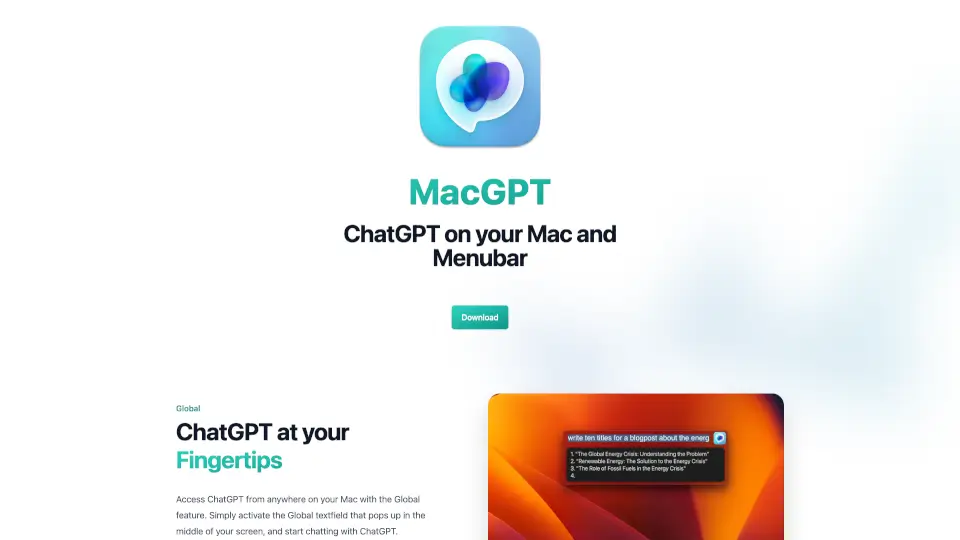
MacGPT brings ChatGPT right to your Mac's menubar, making it super easy to access AI-powered conversations anytime. Whether you're typing or talking, MacGPT has got you covered with its Global, Inline, and Conversation Mode features. Plus, it’s available on your iPhone as GeePeeTee for on-the-go chatting.
What are the features of MacGPT?
- Global Access: Activate a textfield anywhere on your Mac to chat with ChatGPT instantly.
- Inline Typing: Let ChatGPT type directly into your textfields with a simple trigger phrase.
- Menubar Access: Quick access to ChatGPT from your menu bar, either through the website or natively with the API.
- Conversation Mode: Talk to ChatGPT without typing—just speak and listen.
- Easy Copying: Copy entire conversations in a clear, readable format.
- Multiple Conversations: Create and manage different chats for various prompts.
What are the use cases of MacGPT?
- Quick Research: Get answers fast without switching apps.
- Writing Assistance: Let ChatGPT help draft emails, essays, or messages.
- Voice Conversations: Chat hands-free when you’re multitasking.
- On-the-Go Chatting: Use GeePeeTee on your iPhone for mobile access.
How to use MacGPT?
- Download and install MacGPT on your Mac.
- Activate Global mode to chat from anywhere on your screen.
- Use Inline by typing your trigger phrase followed by your prompt.
- Access ChatGPT from the menubar for quick conversations.
- Enable Conversation Mode to talk to ChatGPT without typing.