
Что такое IFTTT?
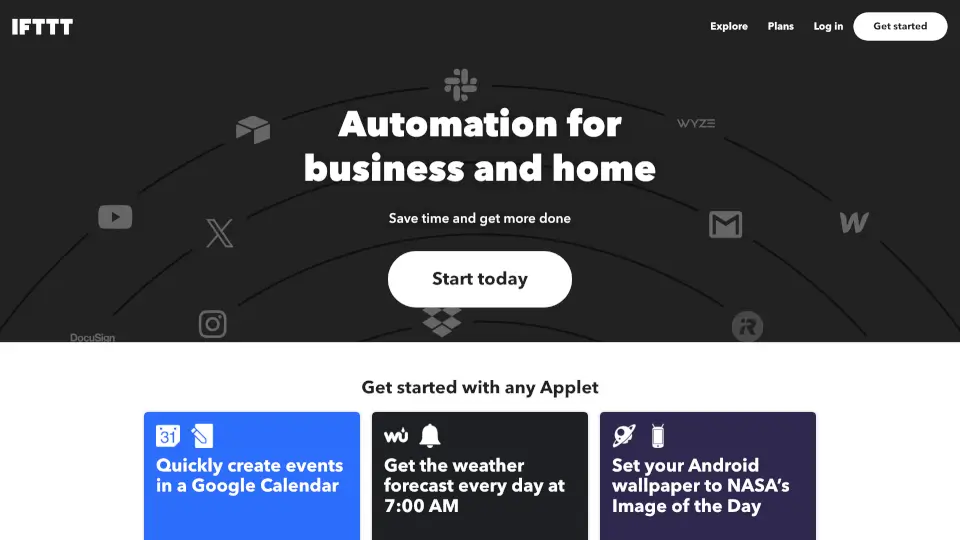
IFTTT — это мощный инструмент автоматизации, который помогает связывать более 1000 приложений и устройств без единой строчки кода. Хотите, чтобы новые песни из Spotify сохранялись в архиве? Или чтобы погода утром приходила в Telegram? С IFTTT всё это настраивается за минуты. Сервис идеально подходит как для домашнего использования (умный дом, напоминания), так и для бизнеса (управление задачами, соцсети, аналитика).
Главное преимущество IFTTT — простота. Даже если вы никогда не сталкивались с автоматизацией, вы сможете создать свой первый «апплет» (автоматизированный сценарий) всего за несколько кликов. А ещё есть миллионы готовых решений от сообщества — просто выберите то, что нужно, и включите.
Какие особенности у IFTTT?
- Более 1000 интеграций: Поддержка Google, Discord, Telegram, Slack, Instagram, Notion, Spotify, Facebook, TikTok и многих других сервисов.
- Готовые апплеты: Миллионы преднастроенных автоматизаций — от сохранения скриншотов до публикации постов в соцсетях.
- Создание своих апплетов: Легко комбинируйте триггер (событие) и действие (реакцию) под свои нужды — без программирования.
- Поддержка AI: Генерируйте тексты, резюмируйте встречи или адаптируйте контент с помощью ChatGPT, Claude и других ИИ-инструментов.
- Умный дом: Управляйте светом, камерами, гаражными воротами через Google Assistant, Ring, Philips Hue и другие устройства.
- Мобильные приложения: Полнофункциональные версии для iOS и Android с более чем 10 млн загрузок по всему миру.
Какие случаи использования IFTTT?
- Автоматически сохранять новые треки из Spotify Discover Weekly в Google Таблицу или Notion.
- Получать уведомление в Telegram, если завтра дождь (через Weather Underground).
- Публиковать новые фото из Instagram сразу в X (Twitter) и Discord.
- Записывать рабочие часы в Google Календарь одним нажатием кнопки.
- Переносить задачи из iOS Напоминаний в Todoist или Google Tasks.
- Отправлять новые лиды из Facebook Lead Ads прямо в Google Таблицы для обработки.
- Включать свет при приходе домой (через геолокацию и LIFX/Philips Hue).
- Использовать ИИ для создания черновиков писем, постов или заметок по одному нажатию.
Как использовать IFTTT?
- Зарегистрируйтесь на сайте ifttt.com или скачайте приложение для iOS/Android.
- Перейдите в раздел Applets и выберите готовую автоматизацию или нажмите Create.
- Укажите триггер (например, «Новое письмо в Gmail») и подключите нужный аккаунт.
- Выберите действие (например, «Отправить в Telegram») и настройте детали.
- Сохраните апплет — он начнёт работать немедленно.
- Для продвинутых сценариев используйте фильтры, задержки или несколько действий в одном апплете.