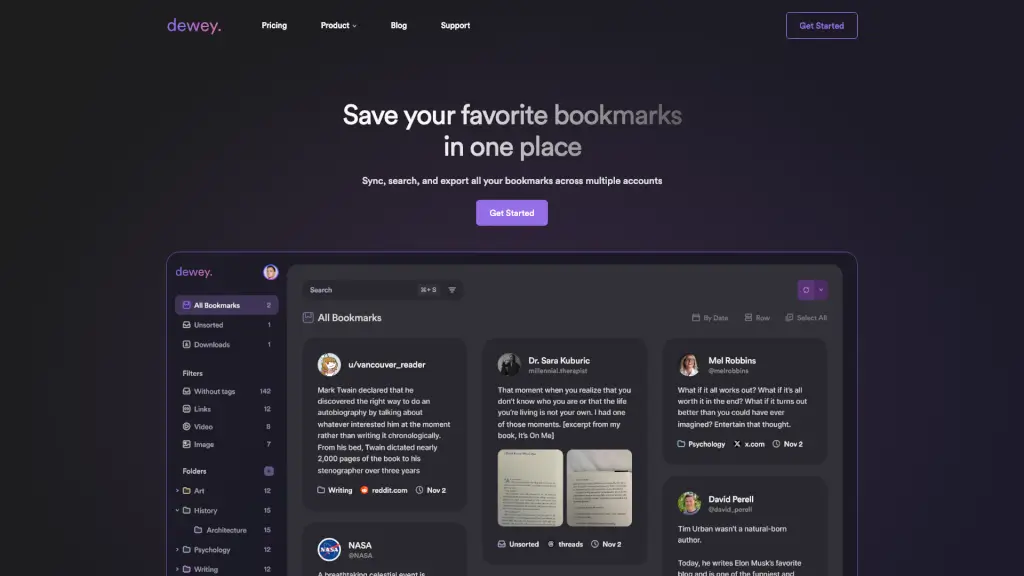
What is Dewey?
Tired of losing great posts in the chaos of social media? Dewey is your all-in-one bookmark manager that brings order to the mess. Whether you’re saving tweets on X, articles on LinkedIn, videos on TikTok, or links from Threads and Bluesky, Dewey syncs them into a single, searchable hub—so you never lose track of what matters.
Unlike platform-specific bookmark systems (which are often clunky or nonexistent), Dewey gives you real control: organize with folders and tags, search instantly, export your data, and even share curated collections publicly. It’s built for researchers, creators, students, and anyone drowning in digital clutter who just wants to find stuff again.
What are the features of Dewey?
- Cross-Platform Sync: Pull bookmarks from X (Twitter), LinkedIn, Bluesky, TikTok, Threads, Truth Social, Reddit, Instagram, Substack, and regular web pages—all in one place.
- AI-Powered Tagging: Dewey AI analyzes your saved content and suggests accurate tags in seconds. Review and refine before applying—no more manual sorting.
- Frictionless Search: Instantly find any bookmark by keyword, author, tag, or note—way faster than scrolling through native apps.
- Export & Own Your Data: Download your entire library as CSV, PDF, Google Sheets, or with media files included. Your bookmarks = your digital memory.
- Notion & RSS Integrations: Auto-sync new bookmarks to Notion databases or push them anywhere via personalized RSS feeds—zero manual work after setup.
- Multi-Account Support: Connect multiple profiles (like personal and work X accounts) and manage all bookmarks from a unified dashboard.
- Public Collections: Easily curate and share hand-picked bookmarks via clean, public URLs—perfect for newsletters, portfolios, or research showcases.
- Flexible Views: Switch between List, Card, or Grid view to match how you think and work.
What are the use cases of Dewey?
- A researcher organizing hundreds of academic threads and news clips from X and Substack for a literature review.
- A content creator tracking viral TikTok trends and Threads discussions across multiple brand accounts in one workspace.
- A student saving study resources from Reddit, LinkedIn articles, and YouTube links (via web bookmarks) with custom tags like “biology” or “exam prep.”
- A journalist backing up critical sources from unstable platforms like Truth Social or Bluesky before they disappear.
- A marketer sharing a public collection of competitor campaign examples with their team using a simple Dewey link.
- Anyone wanting to migrate away from Twitter/X without losing years of carefully saved insights.
How to use Dewey?
- Install the Dewey Chrome extension and sign in with your preferred email.
- Connect your social accounts (X, LinkedIn, Bluesky, etc.)—just log in once per platform.
- Let Dewey auto-import your existing bookmarks or start saving new ones directly from supported sites.
- Use keyboard shortcuts (like “Cmd+Shift+B”) to save pages quickly while browsing.
- Apply AI-generated tags or create your own folders to sort content meaningfully.
- Export your library anytime or set up Notion/RSS sync for hands-off organization.