
Что такое Genmo AI?
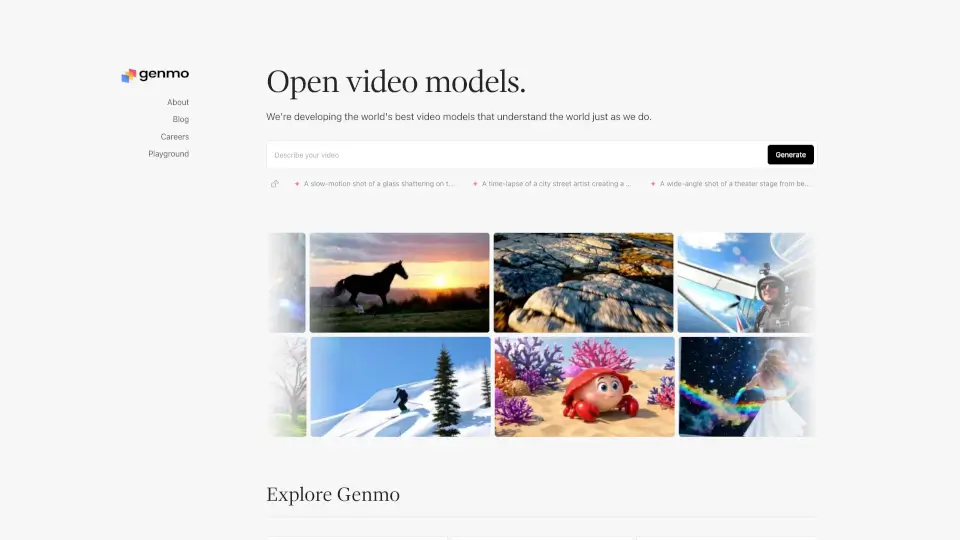
Mochi 1 — это передовая модель генерации видео по текстовому описанию от исследовательской лаборатории Genmo. Она превращает ваши идеи в живые, высококачественные видеоролики, будь то замедленный взрыв стекла или таймлапс уличного художника за работой. Разработанная с фокусом на понимание физического мира, Mochi открывает новые горизонты для творцов, исследователей и разработчиков.
Эта модель не просто генерирует видео — она создаёт визуальные истории, которые выглядят естественно и детализированно. Благодаря открытому исходному коду вы можете запускать её локально, адаптировать под свои задачи или даже участвовать в развитии технологии. Mochi 1 уже признана одной из лучших (SOTA) среди открытых решений в области генеративного видео.
Какие особенности у Genmo AI?
- Текст-в-видео: Превращайте простые текстовые подсказки в реалистичные видеоролики.
- Открытый исходный код: Полный доступ к коду на GitHub — запускайте, модифицируйте и улучшайте модель.
- Поддержка ComfyUI: Интеграция с популярной средой для генеративных AI-инструментов.
- Высокое качество деталей: Точная передача движения, текстур и динамики (например, осколки стекла или мазки мела).
- Локальный запуск: Не нужно зависеть от облака — используйте Mochi на своём оборудовании.
- Интерактивный Playground: Протестируйте возможности модели без установки через онлайн-демо.
Какие случаи использования Genmo AI?
- Создание коротких арт-видео для соцсетей по текстовому описанию
- Визуализация сценариев для фильмов или театральных постановок
- Генерация учебных материалов с динамическими процессами (например, разрушение объектов)
- Поддержка уличных художников: демонстрация эволюции мурала во времени
- Прототипирование игровых миров или симуляций физических явлений
- Исследование ИИ-моделей, понимающих причинно-следственные связи в видео
Как использовать Genmo AI?
- Клонируйте репозиторий:
git clone https://github.com/genmoai/mochi - Установите зависимости:
pip install -e . - Запустите генерацию через CLI:
python demos/cli.pyс вашим текстовым промптом - Или используйте ComfyUI для графического интерфейса и расширенной настройки
- Экспериментируйте с детализированными промптами (например, «замедленная съёмка разбитого стекла»)
- Посетите Playground на сайте Genmo для быстрого тестирования без установки