
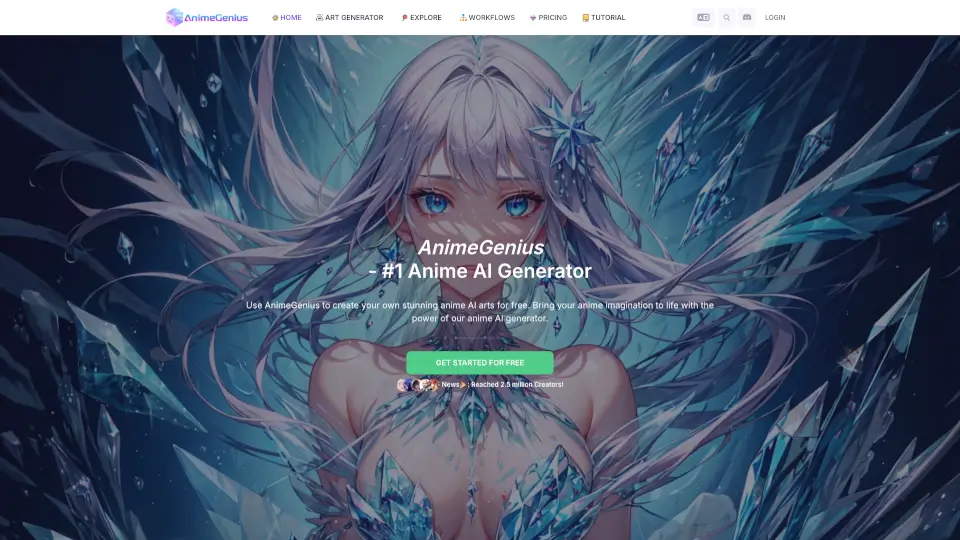
Что такое AnimeGenius?
AnimeGenius — это бесплатный AI-генератор аниме, который позволяет любому создать собственное аниме-искусство за считанные секунды. Без навыков рисования и знаний AI — просто напишите описание или загрузите фото, и нейросеть превратит вашу идею в готовый арт. Более 100 стилей, генерация по тексту, изображению, позе и видео — всё в одном инструменте.
Какие особенности у AnimeGenius?
- Text to Image: Создавайте аниме-картинки по текстовому описанию — просто введите промпт и получите результат за пару секунд.
- Image to Image: Превращайте свои фото в аниме, перерисовывайте скетчи или меняйте стиль с помощью 7 режимов (интеллектуальная перерисовка, раскраска контуров, поза и др.).
- Pose to Image: Задайте позу 3D-модели в редакторе и получите аниме-персонажа в нужной позе с вашим промптом.
- Text to Video / Image to Video / Video to Video: Оживляйте статичные аниме-арты и превращайте их в динамичные видео, используя текст или референсные изображения.
- AI Image Editor: Редактируйте изображения онлайн — меняйте детали, стилизуйте, дорисовывайте, не выходя из браузера.
- 100+ стилей и типов генерации: От Catgirl и Furry до Cyberpunk, Ghibli, Pixel, Tattoo — выбирайте готовые пресеты или настраивайте сами.
- Активное сообщество: 2,5M+ пользователей, 3K+ созданных OC, ежедневно 1000+ новых артов — вдохновляйтесь и делитесь работами.
Какие случаи использования AnimeGenius?
- Создание уникального персонажа для своей манги, игры или VTube-аватара.
- Быстрое превращение обычного фото в аниме-стиль для соцсетей или аватарки.
- Разработка обложки, иллюстрации или концепт-арта без навыков художника.
- Генерация аниме-видео из статичного рисунка для презентации или контента.
- Оживление скетча или граффити — просто нарисуйте набросок и AI дорисует шедевр.
- Создание персонажа для фан-арта или фанатского комикса с готовыми позами.
- Изучение возможностей AI: изменение стиля, апскейл, генерация промптов по картинке.
Как использовать AnimeGenius?
- Шаг 1: Зайдите на сайт AnimeGenius и выберите нужный тип генерации (Text to Image, Image to Image, Pose to Image, Video и т.д.).
- Шаг 2: Введите текстовый промпт на русском или английском (например: «девушка-кошка, фиолетовые волосы, киберпанк-стиль») или загрузите референсное изображение.
- Шаг 3: Настройте стиль, параметры (размер, соотношение сторон, дополнительные опции) и нажмите «Generate».
- Шаг 4: Дождитесь результата — обычно 10–30 секунд. Если нужно, отредактируйте полученное изображение в AI Image Editor.
- Шаг 5: Скачайте готовый арт в высоком разрешении или опубликуйте его в галерее сообщества.
- Совет: Для лучших результатов используйте развёрнутые промпты с указанием стиля, позы, эмоций и фона. Читайте раздел Prompt Guide на сайте.