
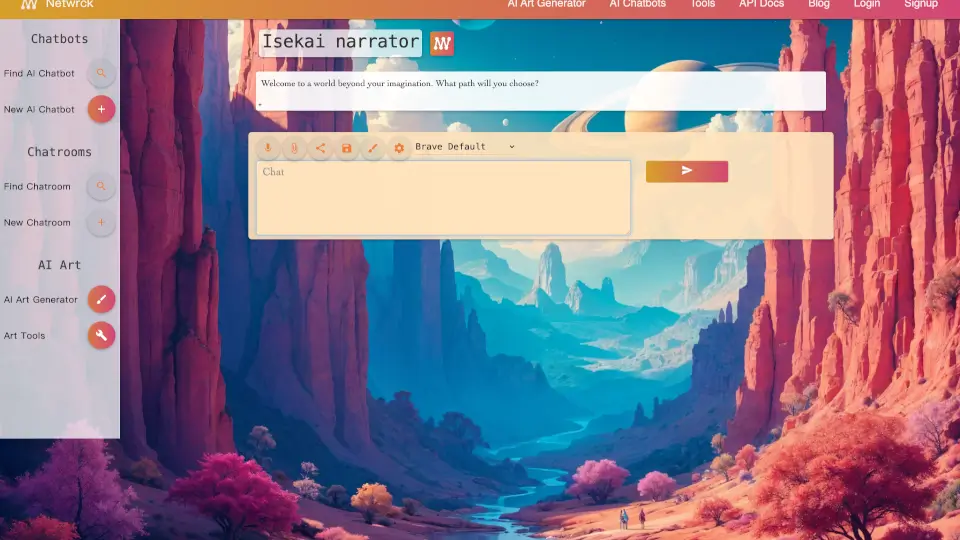
What is Netwrck AI Chat?
Netwrck is a versatile AI-powered platform where you can create art, roleplay with characters, join live chatrooms, and use practical AI tools for planning, programming, and more. Whether you want to generate stunning images, talk to unique AI personalities, or collaborate with human friends in real-time, Netwrck brings everything together in one friendly space. It's designed for creators, gamers, students, and anyone curious about AI—no technical skills required.
What are the features of Netwrck AI Chat?
- AI Art Generator: Turn text descriptions into high-quality images with multiple styles (anime, fantasy, cinematic, and more) and adjustable resolutions.
- AI Chatbots & Roleplay: Talk to hundreds of community-created AI characters or build your own with custom greetings, descriptions, and voice settings.
- Live Chatrooms: Create or join public chatrooms to roleplay with multiple characters, invite friends, or meet new people.
- Practical AI Tools: Use AI assistants for coding help, writing, planning, and other productivity tasks—integrated directly into chat.
- Voice Studio: Enable audio for characters, choose from dozens of voices, adjust speech speed, and even clone your own voice.
- Social Gallery: Browse and share AI-generated art, posts, and conversations with the community.
What are the use cases of Netwrck AI Chat?
- Creative Roleplaying: Dive into immersive stories with fictional characters from anime, games, or original creations—perfect for writers and gamers.
- Art Generation on Demand: Quickly create concept art, character portraits, or illustrations for projects without needing drawing skills.
- Coding & Planning Assistance: Ask the AI to help debug code, outline a project, or generate ideas for your next assignment.
- Social Hangouts: Join themed chatrooms to chat with like-minded people or host a private room for friends.
- Language Learning & Translation: Use the translation mode and voice features to practice new languages with AI characters.
- Content Creation: Generate videos from images using LTX 2.3, or produce audio narrations for your stories.
How to use Netwrck AI Chat?
- Sign Up or Log In: Create a free account to start using all features—just need email and name.
- Start a Chat: Browse the AI character library, pick one that interests you, and begin a conversation. You can also create your own character.
- Generate Art: Say "art" in chat or open the Art Generator, describe your image, choose a style and resolution, then hit generate.
- Join a Chatroom: Go to the rooms section, search for a topic, or create a new public/private room and invite characters or friends.
- Use Tools: Open the Tools menu to access programming help, planning assistants, or the voice studio to customize character voices.