
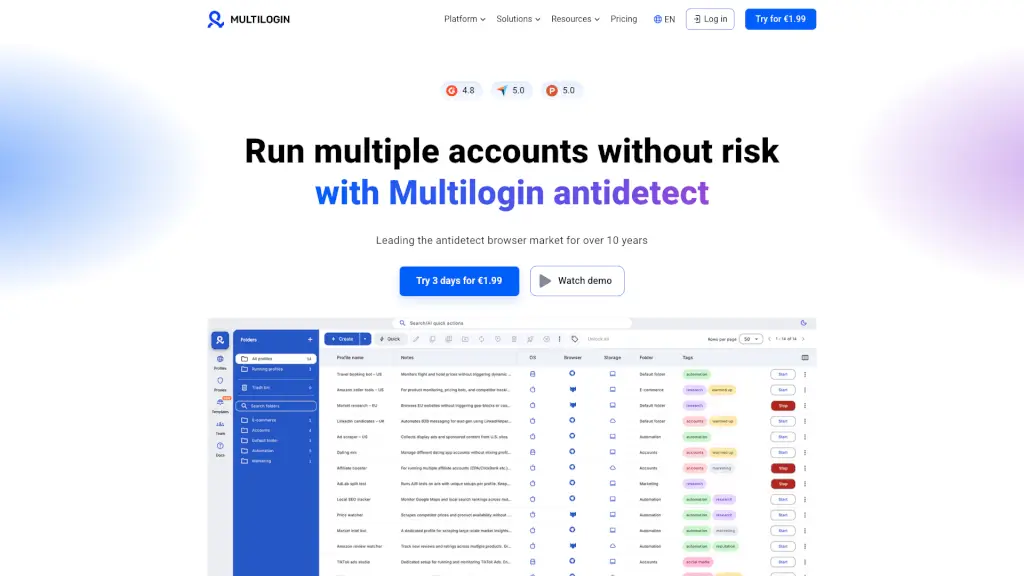
What is Multilogin?
Multilogin is a powerful antidetect browser that lets you manage multiple online accounts without getting detected. Whether you're running social media campaigns, managing e-commerce stores, or scraping data, Multilogin ensures your activities remain safe and undetected. With over 10 years of experience in the market, it's trusted by thousands of users for its reliability and advanced features.
What are the features of Multilogin?
- Antidetect Browser: Create multiple online identities from the same computer without being detected.
- Residential Proxies: High-quality rotating residential proxies to keep your profiles looking natural and avoid suspicious behavior.
- Mobile Antidetect Browser: Emulate mobile website visitors with unique identities from a desktop device.
- Multi-account Management: Manage all your accounts on one dashboard, making it easy to switch between them.
- Web Automation: Automate complex tasks and manipulate multiple online accounts with ease.
- AI Quick Actions: Transform text prompts into automated action sequences to speed up your work.
What are the use cases of Multilogin?
- Social Media Marketing: Manage multiple profiles, post content, and automate interactions.
- E-commerce & Dropshipping: Run multiple dropshipping stores from one device without worrying about bans.
- Web Scraping: Bypass bot protections and scrape data at scale while mimicking real user behavior.
- Ticket Scalping: Be the first in line to buy tickets for popular events.
- Airdrop Farming: Get higher token allocation to multiple wallets without sybil detection.
- Online Reputation Management: Post reviews and manage accounts from anywhere with built-in residential proxies.
How to use Multilogin?
- Create a Profile: Start by creating a new profile in Multilogin, customizing it with unique fingerprints.
- Add Proxies: Integrate high-quality residential proxies to ensure your IP addresses are clean and safe.
- Set Up Automation: Use the web automation feature to create and run complex scenarios.
- Manage Accounts: Add and manage all your accounts on the dashboard, switching between them easily.
- Use AI Quick Actions: Save time by transforming text prompts into automated action sequences.
- Monitor Performance: Keep an eye on the server status and use the knowledge base for any troubleshooting.