What is Guideflow?
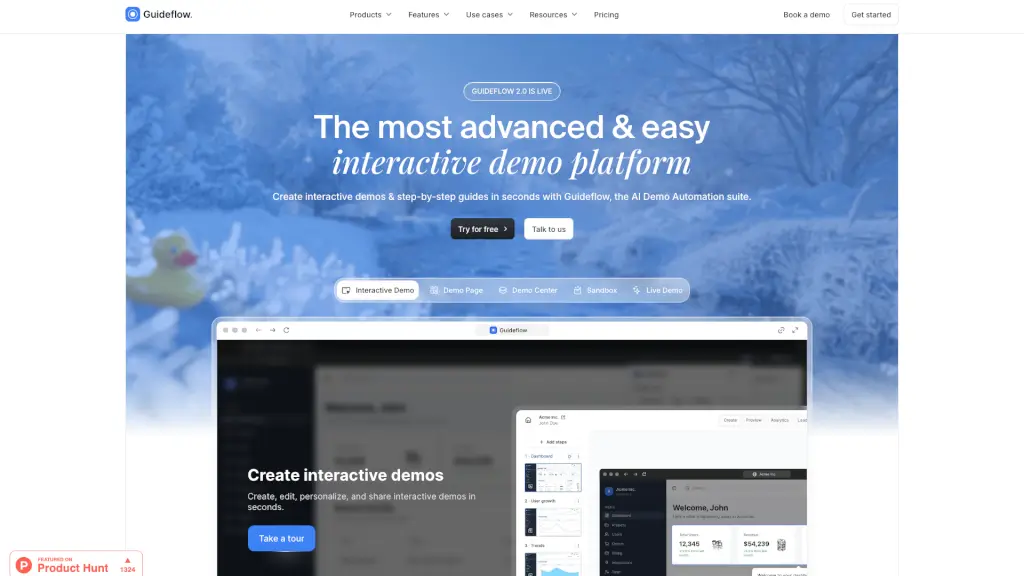
Guideflow is a cutting-edge interactive demo platform that makes it super easy to create, share, and track guided product demos. Whether you're in sales, marketing, or customer support, Guideflow helps you showcase your product's best features in a way that feels like a real user experience. With its intuitive no-code editor and AI-powered enhancements, you can quickly build and customize demos that engage your audience and drive conversions.
What are the features of Guideflow?
- Interactive Demo: Create step-by-step, clickable demos that guide users through your product.
- Sandbox Environment: Build a fully functional demo environment that replicates your product without needing live data.
- Demo Center: Centralize all your demos in one branded hub, making it easy for prospects to explore.
- Mobile Demo: Create mobile-first demos that feel just like using your app on a smartphone.
- Live Demo: Clone your product with emulated data to give users a realistic experience.
- AI-Powered Editing: Let AI handle the heavy lifting by auto-adjusting your demo for a polished, audience-ready experience.
- Advanced Analytics: Track demo performance in real-time, including impressions, completion rates, and lead conversion.
- Integrations: Connect with over 3000 tools, making it seamless to integrate with your existing stack.
What are the use cases of Guideflow?
- Product Marketing: Boost product adoption and generate more qualified leads by embedding interactive demos on landing pages.
- Pre-Sales & Sales: Craft personalized demos that highlight key features, handle objections, and close more deals.
- Customer Support: Reduce support tickets by providing step-by-step solutions and self-service guides.
- Product Development: Validate new features, iterate on designs, and communicate updates effectively.
- Partnerships: Educate partners and affiliates with interactive demos that showcase the value of your product.
- Onboarding & Training: Accelerate onboarding and training for new users or team members with interactive guides.
How to use Guideflow?
- Capture Your Demo: Start by capturing your website or app directly from your browser. Follow the flow as if you were using the product yourself.
- Edit and Customize: Use the no-code editor to add notes, branding colors, images, logos, and text. You can also hide or blur elements as needed.
- Personalize with AI: Let Guideflow’s AI adjust your demo, improving the flow and adding refinements like translations and voiceovers.
- Share Your Demo: Share your demo via public links, embed it on your website, or post it on social media. The possibilities are endless!
- Track Performance: Monitor real-time analytics to see how your demo is performing, including impressions, completion rates, and lead conversion.
- Collaborate with Teams: Work together with your team to build, edit, and share demos, ensuring everyone is on the same page.