What is Charstar?
Charstar is an AI-powered platform that lets you chat with lifelike virtual characters—from your own custom creations to popular fictional personas. Whether you want a friendly companion, a role‑play partner, or just someone to brainstorm with, Charstar makes every conversation feel natural and engaging. Its standout feature is voice interaction, so you can talk out loud and hear responses in character‑specific voices. Think of it as your personal AI companion that never runs out of things to say.
What are the features of Charstar?
- Voice Chat with AI Characters: Speak naturally and get voiced replies—supports multiple character voices for an immersive experience.
- Create Your Own Characters: Customize appearance, personality, backstory, and voice to build a unique AI friend or assistant.
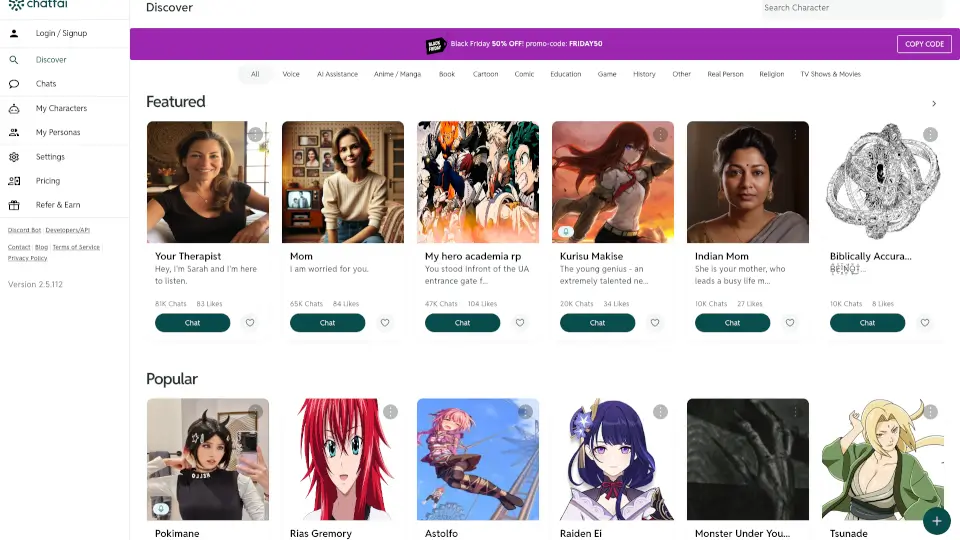
- Large Character Library: Browse hundreds of pre‑made characters from anime, gaming, literature, and original designs.
- Memory & Context: Characters remember past conversations, making interactions feel continuous and personal.
- NSFW & Mature Content Filters: Optional content restrictions so you can control the tone of conversations.
- Real‑Time Responses: Fast, low‑lag replies that keep the flow of dialogue smooth.
What are the use cases of Charstar?
- Role‑Playing & Storytelling: Act out fantasy adventures, romantic scenes, or detective mysteries with a character that stays in character.
- Language Practice: Chat with a native‑speaking AI character to improve conversational skills in a stress‑free environment.
- Emotional Support & Companionship: Have a non‑judgmental friend to talk to about your day or vent frustrations.
- Creative Brainstorming: Bounce ideas off a character with a specific personality—like a wise wizard or a snarky scientist.
- Fan Interaction: Talk to versions of your favorite fictional characters (e.g., Goku, Sherlock Holmes) just for fun.
How to use Charstar?
- Sign Up: Create a free account on charstar.ai—no credit card required for the basic tier.
- Choose or Create a Character: Browse the library or use the character creator to design a new one (name, avatar, personality traits, voice).
- Start a Chat: Click on a character and type or tap the microphone to speak. You can also adjust voice settings.
- Customize Conversation Style: In settings, toggle NSFW filters, adjust response length, and turn on “memory mode” for continuity.
- Save Favorites: Add characters to your favorites list for quick access.
- Export Conversations: Copy or download chat logs to share or review later.