What is Bytebot?
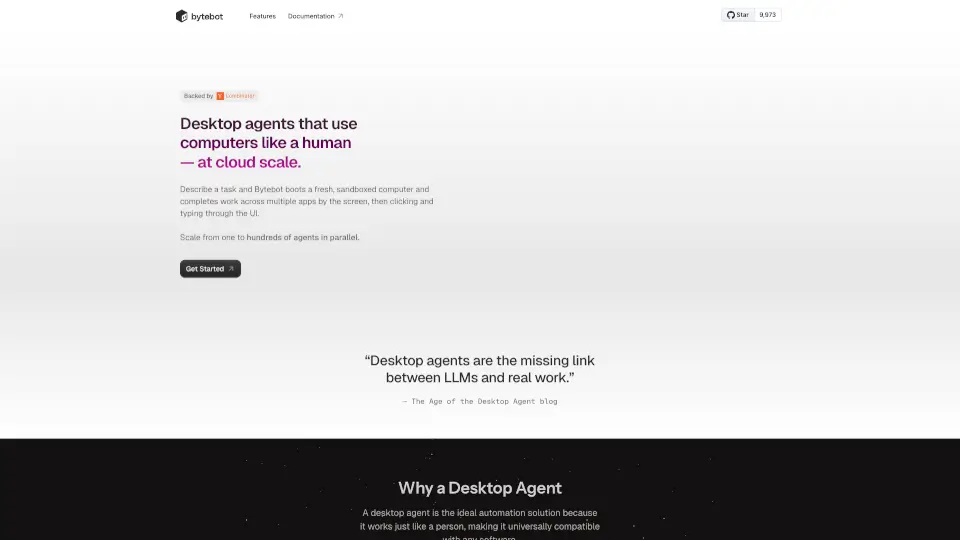
Bytebot is an open-source desktop automation agent that uses computers just like a human, but at cloud scale. Just describe a task, and Bytebot boots up a fresh, sandboxed computer to complete work across multiple apps by clicking and typing through the UI. It’s like having a virtual employee who can handle anything you throw at it, from logging into websites to processing documents. Bytebot is self-hosted, secure, and works with plain English commands—no coding needed.
What are the features of Bytebot?
- Human-like Automation: Bytebot interacts with desktops using mouse, keyboard, and screen, just like a real person.
- Multi-App Workflows: Works across browsers, terminals, code editors, and any Linux app.
- Scalable: Run one or hundreds of agents in parallel for big tasks.
- Secure & Isolated: Each agent runs in its own Docker container, keeping your data safe.
- AI-Powered: Understands natural language instructions and adapts to UI changes.
- Open Source & Portable: Free to use, runs locally or on cloud platforms like AWS, GCP, or Azure.
- Easy Recovery: Users can step in and take control if needed, then let Bytebot resume.
- Detailed Logs: Every action is logged with before-and-after screenshots for easy review.
What are the use cases of Bytebot?
- Secure Logins with 2FA: Bytebot logs into websites using password managers and handles two-factor authentication.
- Automating Development: Scaffolds web apps, edits code, runs servers, and verifies changes.
- Technical Research: Downloads, reads, and summarizes complex documents like PDFs.
- Financial Operations: Accesses banking portals, downloads files, and reconciles accounts.
- HR and Customer Onboarding: Collects and organizes data from multiple systems.
- Quality Assurance: Tests apps, reproduces bugs, and performs visual checks.
- Data Entry & Web Automation: Fills forms, transfers info, and monitors websites.
How to use Bytebot?
- Clone the Bytebot repository.
- Add your AI provider API key (supports Anthropic Claude, OpenAI, Google Gemini).
- Run the Docker compose command.
- Visit http://localhost:9992 to start automating tasks.
- No coding required—just describe your task in plain English.