What is UltraReals?
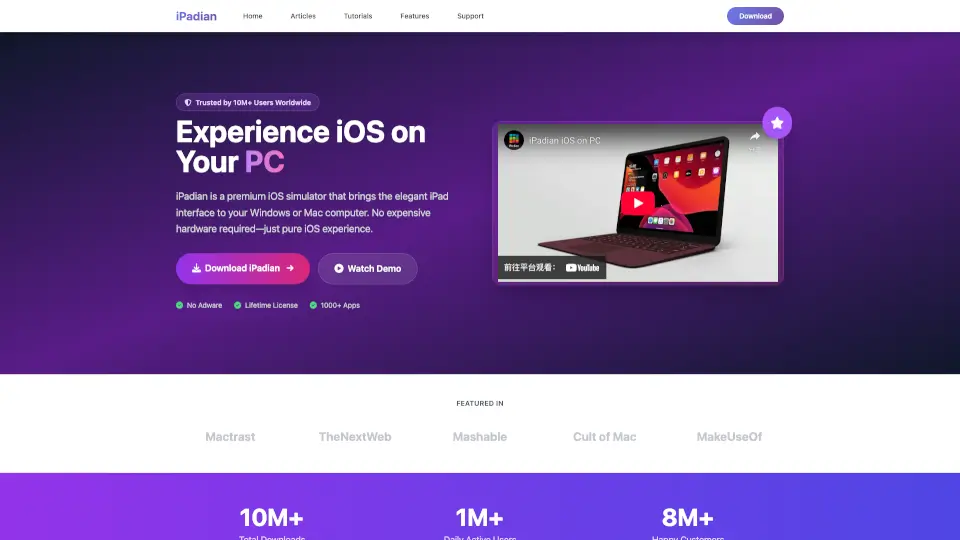
iPadian is an iOS simulator for Windows and Mac that mimics the look and feel of an Apple device. It lets users run over 1,000 specially designed apps—including Facebook, Spotify, TikTok, and Instagram—without needing an actual iPhone or iPad. It is a simulator, not an emulator, so it does not create a local iOS or access the real App Store. Best for curious users who want to experience iOS interface and test popular apps on a PC.
What are the features of UltraReals?
- Simulated iOS Interface: Imitates the appearance, design, and basic features of an Apple device, giving users the visual experience of iOS on a PC.
- 1,000+ Specially Designed Apps: Includes popular apps like Facebook, Spotify, TikTok, WhatsApp, and Instagram, all optimized for the iPadian simulator.
- No Emulation: Unlike an emulator, iPadian does not recreate iOS functionality—it only simulates the look and feel, so real iOS apps are not supported.
- Cross-Platform Support: Works on both Windows and Mac, making it accessible to a wide range of PC users.
- Lifetime Access Pricing: Available for a one-time payment of $9.99 (down from $25), offering permanent use without recurring fees.
- Large User Base: Over 10 million downloads, 1 million daily active users, and 8 million happy users, indicating broad adoption.
What are the use cases of UltraReals?
- Curious users exploring the iOS interface without buying an Apple device.
- Developers or designers testing iOS-like UI patterns on a Windows or Mac PC.
- Users wanting to run popular apps like Instagram or Spotify in an iOS-style environment.
- Students comparing Android and iOS interfaces visually for learning or projects.
- Anyone who wants to experience iOS apps on a laptop for casual use or demonstration.
How to use UltraReals?
- Download and install iPadian from the official website to your Windows or Mac PC.
- Launch the simulator and navigate the iOS-like home screen with app icons.
- Browse the built-in app library to find and install apps designed for iPadian.
- Open any app and interact with it as you would on an iPhone or iPad.
- Note: You cannot install regular iOS apps from the App Store; only iPadian-compatible apps work.