What is FilterPixel?
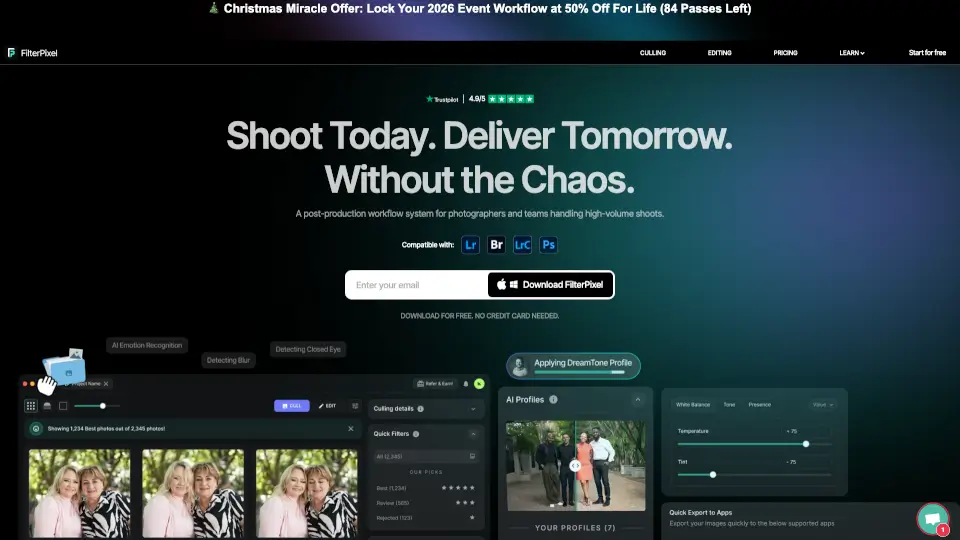
FilterPixel is an AI photo culling and editing tool for event, wedding, sports, and conference photographers who need to deliver large galleries under deadline pressure. It helps users select the best shots, apply consistent edits, and organize images without deleting originals. The tool uses genre-specific AI to evaluate photos for editorial relevance, not just technical quality. It integrates with Lightroom, Capture One, and Photo Mechanic for export, making it a workflow bridge for high-volume shooters.
What are the features of FilterPixel?
- DeepCull Mode: Genre-aware AI evaluates photos for editorial relevance (expressions, peak action, crowd energy) and provides a score and reason for every selection.
- Survey Mode: Groups similar near-identical frames so photographers can compare micro-differences and confidently choose the best shot without flipping through duplicates.
- Magic Number: Automatically culls image sets while the user packs gear, selecting the best shots from thousands of photos in minutes.
- Style DNA: Trains on a user's existing Lightroom catalog to learn their specific tones, colors, and adjustments, then applies that style consistently across entire projects.
- Custom Tagging System: Supports stars, color codes, and flags that match the user's existing workflow, then applies those tags consistently across all photos.
- Non-Destructive Review Mode: Never deletes original images; it only organizes and tags them, so users can always recover rejected frames if needed.
What are the use cases of FilterPixel?
- Wedding photographers culling 3,000+ photos from a single event, selecting the best moments while keeping all originals safe.
- Conference photographers choosing between 50 near-identical shots of a keynote speaker by comparing micro-differences in Survey Mode.
- Sports photographers applying genre-specific DeepCull to evaluate peak action frames across a tournament or game.
- Studio teams training Style DNA on their edited catalog to maintain consistent color grading and exposure across all client deliveries.
How to use FilterPixel?
- Download the desktop app and sign up for a free account to run up to 4 projects with unlimited photos.
- Import your photos directly from a memory card, supporting RAW (NEF, CR3, ARW, DNG, etc.) and JPEG formats.
- Choose Basic Cull for technical filtering or DeepCull for genre-aware editorial selection with scores and reasons.
- Train Style DNA using an existing Lightroom catalog or apply built-in expert profiles for one-click edits.
- Export final selections to Lightroom, Capture One, or Photo Mechanic in JPEG, RAW, or both formats.