Was ist Trupeer?
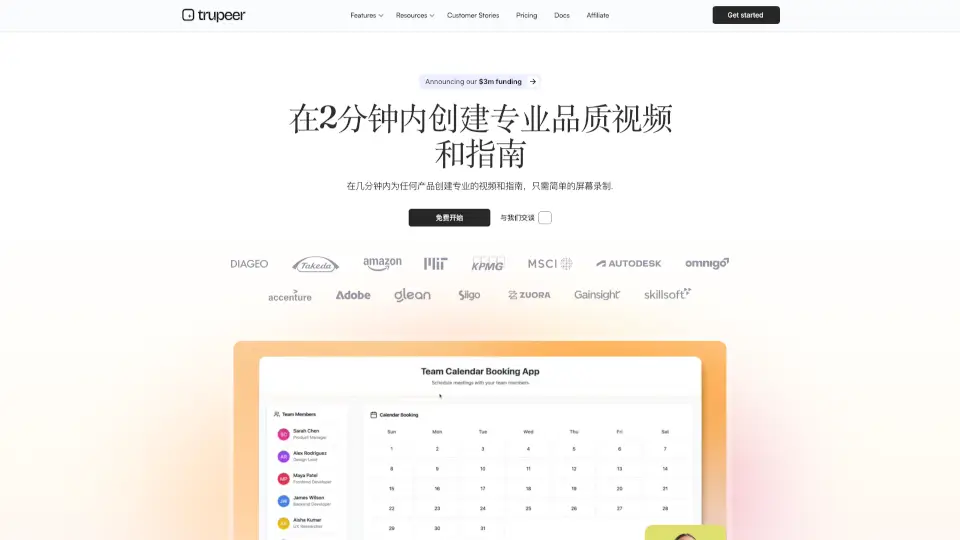
Trupeer ist ein KI-gestütztes Tool, das dir hilft, professionelle Produktvideos und Schritt-für-Schritt-Dokumente in nur wenigen Minuten zu erstellen – ohne technisches Know-how. Egal, ob du neue Mitarbeiter schulst, Kunden eine Funktion zeigst oder interne Prozesse dokumentierst: Mit einem einfachen Screen-Recording übernimmt Trupeer den Rest. Die KI schneidet automatisch, fügt Überschriften hinzu, generiert klare Anleitungen und sorgt für ein poliertes, markenkonformes Ergebnis.
Statt stundenlang zu filmen, zu schneiden und zu formatieren, klickst du einfach auf „Aufnehmen“, erklärst dein Thema ganz natürlich – und bekommst sofort ein studioqualitativ hochwertiges Video und ein strukturiertes Dokument. Besonders praktisch: Alles lässt sich in über 65 Sprachen übersetzen und passt sich automatisch deinem Corporate Design an.
Was sind die Merkmale von Trupeer?
- Automatisches Video-Editing: Die KI erkennt Mausklicks und Aktionen, zoomt intelligent heran und erstellt Kapitel – ohne manuelles Schneiden.
- KI-generierte Dokumente: Aus deiner Aufnahme entsteht sofort ein vollständig formatiertes Handbuch mit Überschriften, Schritten und Screenshots.
- Mehrsprachige Übersetzung: Videos und Dokumente werden automatisch in über 65 Sprachen übersetzt – ideal für internationale Teams oder Kunden.
- Markenkonforme Gestaltung: Logo, Farben und Schriftarten werden automatisch eingebettet, sodass jedes Video und jede Anleitung wie von dir gemacht wirkt.
- KI-Sprecher & virtuelle Moderatoren: Kein Mikrofon nötig – wähle einen natürlichen KI-Sprecher oder füge einen realistischen Avatar als Präsentator hinzu.
- Integrierte Wissensdatenbank: Erstellte Inhalte landen automatisch in einer durchsuchbaren Knowledge Base – für Menschen und KI-Agenten gleichermaßen.
Was sind die Anwendungsfälle von Trupeer?
- Schnelle Produktschulungen für neue Mitarbeiter – ohne vorher Drehbücher zu schreiben.
- Personalisierte Kundenvorführungen, die du innerhalb weniger Minuten erstellst und per Link teilst.
- Dokumentation von Standardarbeitsanweisungen (SOPs), die sich automatisch aktualisieren, wenn sich der Prozess ändert.
- Produkt-Updates kommunizieren, direkt nach dem Launch – nicht erst Tage später.
- Support-Teams entlasten, indem häufige Fragen durch klare Video-Anleitungen beantwortet werden.
- Vertriebsteams mit Sales Enablement-Inhalten versorgen, z. B. Demos neuer Features in der Sprache des Kunden.
Wie benutzt man Trupeer?
- Installiere die kostenlose Chrome-Erweiterung oder lade ein bestehendes Screencast-Video hoch.
- Klicke auf „Aufnehmen“ und führe deine Software oder deinen Prozess ganz natürlich vor – so, als würdest du es einem Kollegen zeigen.
- Wähle optional eine KI-Stimme, eine Sprache oder einen virtuellen Moderator aus.
- Lass Trupeer das Video und das Dokument automatisch generieren – inklusive Branding und Struktur.
- Teile das Ergebnis per Link, exportiere es als PDF oder bette es in deine Wissensdatenbank ein.
- Nutze die KI-Suche, um später schnell bestimmte Schritte oder Szenen in deinen Inhalten zu finden.