Qu'est-ce que Shmooz AI ?
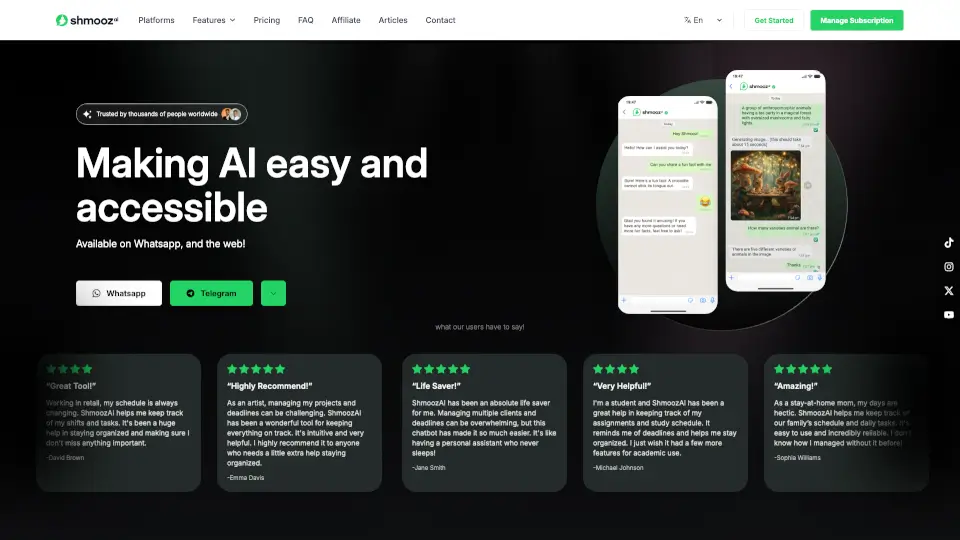
Shmooz AI est votre assistant personnel alimenté par l’intelligence artificielle, disponible directement sur WhatsApp, Telegram et le Web. Notre mission est simple : rendre l’IA accessible à tout le monde, sans complication. Que vous ayez besoin de générer des images hyper-réalistes, de créer des vidéos courtes à partir d’une photo ou d’une description, de résumer des fichiers ou de rechercher des informations en direct, Shmooz AI le fait en un clin d’œil. Utilisé par des milliers de personnes dans le monde, c’est l’outil idéal pour les particuliers, les étudiants, les professionnels et les familles qui veulent un assistant fiable, disponible 24h/24.
Quelles sont les caractéristiques de Shmooz AI ?
- Assistant IA personnel 24h/24 : Répond à toutes vos questions, vous aide à organiser votre emploi du temps et vous rappelle les échéances importantes.
- Génération d’images IA : Créez des images photoréalistes ou artistiques à partir d’une simple description (utilisez le mot « image » dans votre message).
- Génération de vidéos IA (NOUVEAU) : Transformez n’importe quelle photo ou texte en clips cinématiques de 2 à 10 secondes, directement sur WhatsApp et Telegram.
- Texte vers voix et texte vers musique : Convertissez vos textes en voix naturelle ou en musique originale.
- Transformation image à image : Modifiez une photo en version cartoon, pixel art, ou tout autre style artistique.
- Recherche Google intégrée : Lancez une recherche en écrivant « Google » suivi de votre requête.
- Lecture et résumé de fichiers : Téléchargez des PDF, documents Word, images ou liens web, et Shmooz en extrait l’essentiel.
- Accès à des informations actualisées : Contrairement aux modèles statiques, Shmooz peut consulter le web pour vous donner des infos en temps réel.
Quels sont les cas d'utilisation de Shmooz AI ?
- Un étudiant qui a besoin d’un coup de main pour organiser ses devoirs, recevoir des rappels de dates limites et résumer des articles de recherche.
- Un professionnel en commerce de détail avec des horaires changeants qui veut suivre ses shifts et ses tâches sans stress.
- Une maman à la maison qui gère le planning familial, les listes de courses et les activités des enfants.
- Un artiste qui veut suivre ses projets créatifs, générer des images d’inspiration et animer ses croquis en vidéo.
- Un indépendant avec plusieurs clients qui a besoin d’un assistant personnel virtuel pour suivre les échéances et répondre rapidement.
- Un utilisateur qui souhaite transformer une photo de vacances en petite vidéo animée à partager sur les réseaux sociaux.
Comment utiliser Shmooz AI ?
- Pour commencer sur WhatsApp : ouvrez le chat Shmooz AI et tapez votre première question ou commande (ex : « image : un chat dans un jardin »).
- Pour générer une image : commencez votre message par « image » suivi de votre description.
- Pour lancer une recherche Google : tapez « Google » puis votre requête.
- Pour résumer un fichier ou un lien : partagez le fichier ou l’URL dans le chat, Shmooz le traitera automatiquement.
- Pour créer une vidéo IA : envoyez une photo et décrivez le mouvement, ou décrivez une scène uniquement avec du texte.
- Gérez votre abonnement en ligne via la section « Manage Subscription » sur notre site web.