
What is Bezi?
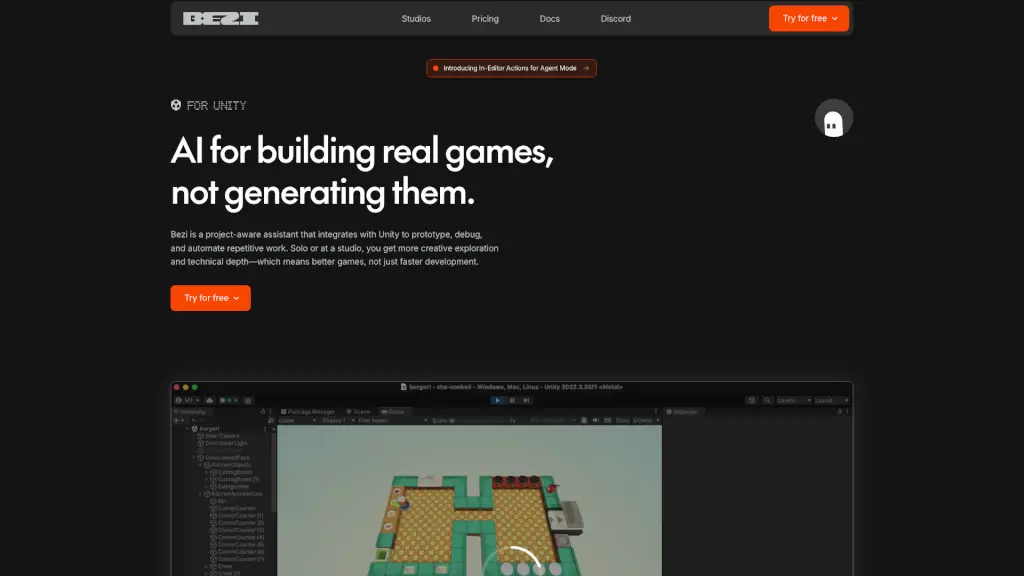
Bezi is a game-changing AI assistant designed specifically for Unity developers and studios. It integrates seamlessly with your Unity project, providing real-time support to prototype, debug, and automate repetitive tasks. Whether you're a solo developer or part of a larger studio, Bezi helps you focus more on creative exploration and technical depth, resulting in better games, not just faster development. With Bezi, you get a partner that understands your project inside out, from scripts and assets to external documents like GDDs and feature specs.
What are the features of Bezi?
- Project-Aware Assistance: Bezi indexes your entire Unity project, including scripts, assets, scenes, and even external documents, to provide context-aware support.
- Automated Debugging: Beyond just fixing code, Bezi traces interactions between scripts, scene objects, and components to pinpoint and resolve issues quickly.
- Rapid Prototyping: Turn your ideas into prototypes in minutes, automating repetitive workflows and reducing the time spent on minor and repetitive technical tasks.
- Consistent Codebase: Bezi generates code that aligns with your existing conventions, ensuring consistency and alignment across your team.
- Onboarding and Documentation: Seamlessly onboard new team members and automate documentation with version control for new tools and features.
- Security and Privacy: Your data and IP are never used to train AI models, and Bezi is SOC 2 certified, offering enterprise-grade security.
What are the use cases of Bezi?
- Solo Developer: Quickly prototype and debug your game, getting more done in less time.
- Studio Team: Ensure consistency and alignment across the team, reducing dependency on specific developers for minor tasks.
- Complex Bug Fixing: Analyze and resolve intricate bugs that span multiple scripts and components.
- Tool Creation: Automate the creation of tools for repetitive tasks, saving time and effort.
- New Team Member Onboarding: Provide a seamless onboarding experience with centralized and easily accessible project knowledge.
- Game Event Management: Create and manage complex game events and systems with ease.
How to use Bezi?
- Integrate Bezi: Install Bezi directly into your Unity Editor.
- Index Your Project: Let Bezi index your entire project, including scripts, assets, and external documents.
- Ask for Help: Use Bezi to generate code, debug issues, or create tools by simply asking it questions.
- Review Suggestions: Follow Bezi’s suggestions and review the generated code to ensure it meets your needs.
- Automate Tasks: Set up automations for repetitive tasks to save time and reduce manual work.
- Onboard New Members: Use Bezi to help new team members get up to speed quickly with centralized project knowledge.