
What is Ready Player Me?
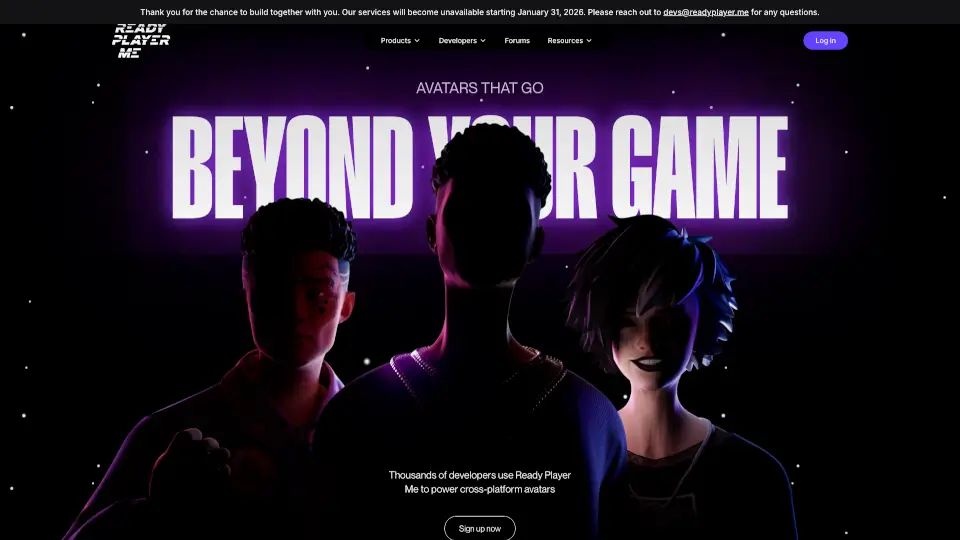
Ready Player Me is a universal avatar platform that lets you create one digital identity and use it across hundreds of virtual worlds, games, and social apps. Instead of building a new character every time you enter a new experience, you design your avatar once—and take it everywhere. Think of it as your passport to the metaverse.
Backed by major developers and integrated into popular platforms like VRChat, Spatial, and Mozilla Hubs, Ready Player Me simplifies how you show up online. Whether you're gaming, attending a virtual concert, or collaborating in a 3D workspace, your avatar stays consistent, expressive, and uniquely yours—without starting from scratch each time.
What are the features of Ready Player Me?
- Cross-Platform Avatars: Use your custom avatar across 3,000+ supported apps and games without rebuilding it.
- Photo-to-Avatar AI: Upload a selfie and let AI generate a realistic 3D avatar in seconds—no design skills needed.
- Full Customization: Adjust body type, skin tone, hairstyle, clothing, and accessories to match your style or fantasy persona.
- Privacy-First Design: Your data stays secure; avatars are linked via a private URL, not personal info.
- Web-Based & Free: No downloads required—create and manage your avatar directly in your browser at no cost.
- Developer-Friendly SDKs: Easy integration for creators using Unity, Unreal Engine, or web frameworks.
What are the use cases of Ready Player Me?
- Jump into VRChat with your personalized avatar already equipped and ready to socialize.
- Attend a virtual job fair or conference in Spatial using a professional-looking digital self.
- Play indie metaverse games without spending hours on character creation each time.
- Express your identity in immersive learning environments or virtual classrooms.
- Stream or record gameplay with a consistent, recognizable avatar across multiple titles.
- Build community in decentralized apps (dApps) where persistent identity matters.
How to use Ready Player Me?
- Go to https://readyplayer.me in any modern browser (Chrome, Safari, Edge, etc.).
- Click “Create My Avatar” and either upload a photo or start from scratch with base templates.
- Customize your look using intuitive sliders and menus—save changes automatically.
- Once done, copy your unique avatar link or connect it directly to supported apps.
- In compatible games or platforms, choose “Import from Ready Player Me” and paste your link.
- Update your avatar anytime—it syncs instantly across all connected experiences.