What is database.build?
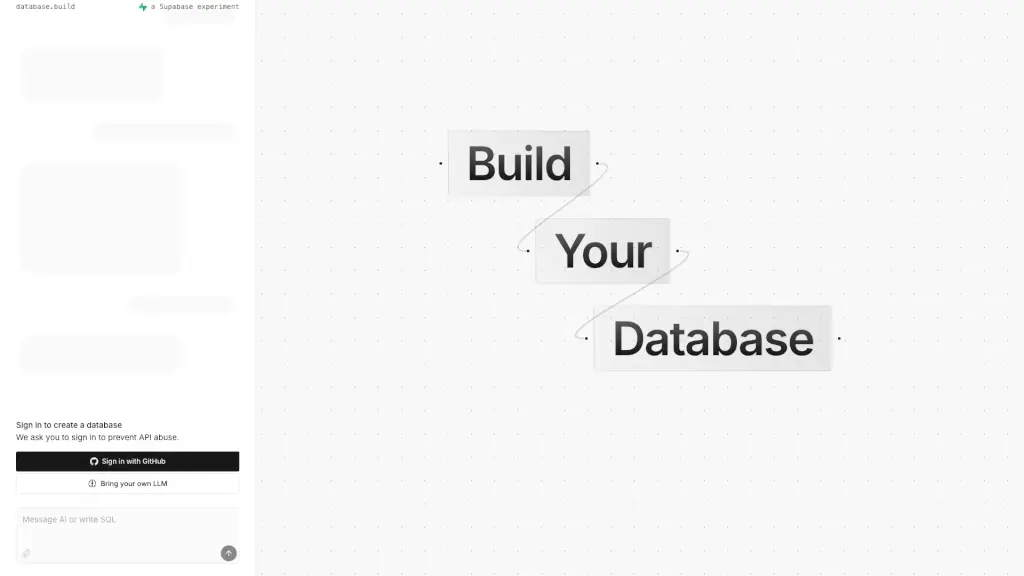
Database.build is an in-browser Postgres sandbox that lets you experiment with databases and even get AI assistance. It's perfect for anyone who wants to learn, test, or build database projects without the hassle of setting up a local environment. Whether you're a student, developer, or just curious about databases, this tool makes it easy to dive in and start creating.
What are the features of database.build?
- In-Browser Postgres Sandbox: Quickly set up and test your PostgreSQL databases directly in your browser.
- AI Assistance: Get help and guidance from an AI as you work on your database, making it easier to troubleshoot and optimize.
- Supabase Integration: Seamlessly integrate with Supabase for more advanced features and capabilities.
- Node and Edge Management: Use keyboard shortcuts to manage nodes and edges, making it simple to create and modify your database schema.
- Sign In with GitHub: Securely sign in using your GitHub account to prevent API abuse and keep your data safe.
What are the use cases of database.build?
- Learning and Education: Perfect for students and beginners to learn SQL and database management.
- Rapid Prototyping: Quickly prototype and test database designs for new projects.
- Collaboration: Share and collaborate on database projects with team members.
- Testing and Debugging: Easily test and debug SQL queries and database schemas.
- API Development: Build and test APIs with integrated Supabase support.
How to use database.build?
- Sign In: Start by signing in with your GitHub account to access the sandbox.
- Create a Database: Once signed in, create a new database to start experimenting.
- Use AI Assistance: Take advantage of the AI to get help with queries and schema design.
- Manage Nodes and Edges: Use the provided keyboard shortcuts to add, move, and delete nodes and edges.
- Integrate with Supabase: If needed, integrate your project with Supabase for additional features.