
What is BioRender?
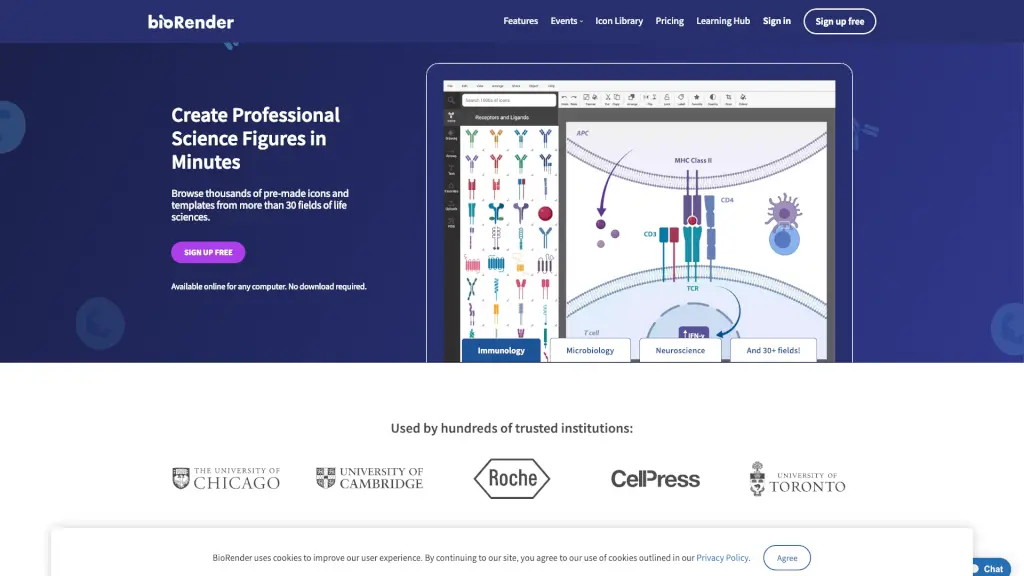
BioRender is a powerful yet user-friendly scientific illustration software that makes creating professional science figures a breeze. Whether you're a student, researcher, or educator, BioRender offers a vast library of over 50,000 icons and templates from more than 30 fields of life sciences. With its intuitive drag-and-drop interface, you can craft detailed and accurate visual representations of your scientific findings in just minutes. Say goodbye to the frustration of using basic shapes in PowerPoint and hello to beautifully designed, publication-ready figures.
What are the features of BioRender?
- Icon Library: Browse over 50,000 pre-made icons and templates, curated and vetted by industry professionals.
- Drag-and-Drop Interface: Simple drag-and-drop functionality allows you to create scientific figures up to 50 times faster.
- Custom Icons: If you need a specific icon, BioRender can create it for you in as little as 48 hours (conditions apply).
- Template Gallery: Access hundreds of customizable templates from expert science designers, making figure creation even easier.
- Collaboration Tools: Work with your team in real-time, ensuring everyone is on the same page and contributing to the project.
- Export Options: Export your figures in high-resolution formats suitable for publications, presentations, and more.
What are the use cases of BioRender?
- Academic Research: Create detailed figures for research papers, grant applications, and academic posters.
- Educational Materials: Design engaging and informative visuals for classroom presentations and educational content.
- Industry Publications: Produce high-quality illustrations for industry reports, whitepapers, and marketing materials.
- Presentations: Enhance your scientific presentations with professional and visually appealing figures.
- Graphing and Protocols: Visualize complex data and protocols with ease, making them more understandable and accessible.
- Brainstorming Sessions: Quickly sketch out ideas and concepts during brainstorming sessions with your team.
How to use BioRender?
- Start with a Template: Choose a template that closely matches your needs and customize it to fit your specific requirements.
- Browse the Icon Library: Search for and select the icons that best represent the elements of your figure.
- Use Drag-and-Drop: Simply drag and drop the icons into your canvas, arranging them to tell your scientific story.
- Customize Your Figure: Adjust colors, labels, and other details to make your figure clear and visually appealing.
- Collaborate with Teammates: Share your project with team members and work together in real-time to refine your figure.
- Export and Share: Once your figure is complete, export it in the desired format and share it with your audience.