What is Quaily?
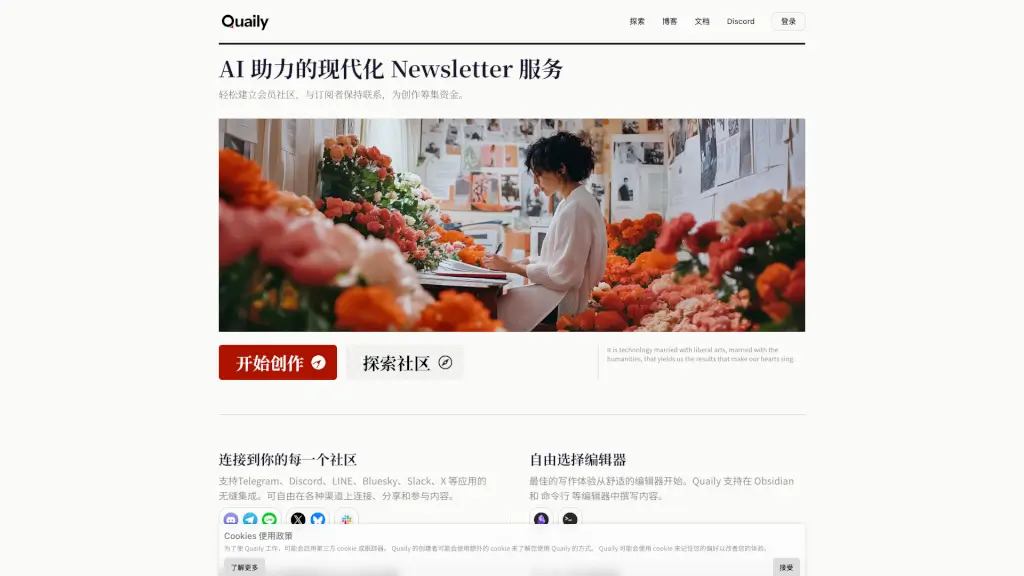
Quaily is a modern, AI-powered newsletter service built for creators who want to build a paid community, connect with subscribers across multiple channels, and earn money from their writing. It goes beyond traditional email newsletters by sending content to Telegram, Discord, LINE, X, Bluesky, Slack, and more. With integrations for Obsidian, VS Code, and a CLI tool, Quaily gives you the freedom to write in your favorite editor while AI helps you generate summaries, translations, and social posts. Whether you're a solo writer or a team, Quaily offers a clean, markdown-friendly interface, custom branding, and a revenue model that only charges commission after you start earning.
What are the features of Quaily?
- Multi-Channel Delivery: Send your newsletter to email, Telegram, Discord, LINE, X, Bluesky, Slack, and more from a single post.
- AI-Powered Writing Assistant: Use Quaily AI to analyze your writing style and generate new content, summaries, tweets, and translations scaled to your voice.
- Editor Freedom: Write in Obsidian, VS Code, or the command line with Quaily CLI – no lock-in to a single editor.
- Custom Branding: Set your own domain, logo, and brand identity to own your publication.
- Paid Articles & Subscriptions: Charge for individual articles or set up a membership, with support for credit cards, crypto, and local payment methods like WeChat Pay and Alipay.
- Markdown Extensions & Math Support: Write equations, diagrams, and rich markdown with ease – perfect for scientific and technical content.
- Data Export & Analytics: Understand your audience with built-in analytics, and export your articles and subscriber data anytime without restrictions.
- Easy Migration: Import subscribers, content, orders, and payments from other platforms with dedicated support.
What are the use cases of Quaily?
- A tech blogger wants to send a weekly newsletter to email, Telegram, and Discord simultaneously – Quaily handles all channels with one click.
- A science writer needs to include mathematical formulas and diagrams in articles – Quaily's Markdown extensions make it simple.
- A creator building a paid community uses Quaily's paid articles and crypto-friendly payments to monetize a global audience.
- A team of writers collaborates on a newsletter using Obsidian and Quaily's collaboration mode to publish on a custom domain.
- A content creator uses Quaily AI to automatically generate Twitter threads and LinkedIn posts from a single newsletter article.
- A writer migrating from Substack or Revue uses Quaily's migration guide and prioritized support to move subscribers and payment data without losing momentum.
How to use Quaily?
- Start writing: Choose your preferred editor (Obsidian, VS Code, CLI, or Quaily's web editor) and compose your article in Markdown.
- Set up channels: Connect your Telegram, Discord, LINE, X, Bluesky, Slack accounts in Quaily's settings.
- Publish with AI: Optionally enable Quaily AI to automatically generate summaries, translations, and social posts for each article.
- Monetize: Enable paid articles or subscription tiers, and choose your payment methods (credit card, crypto, WeChat Pay, Alipay).
- Analyze and export: Use the analytics dashboard to track subscriber growth, then export your data anytime.