¿Qué es ExtendImageAI?
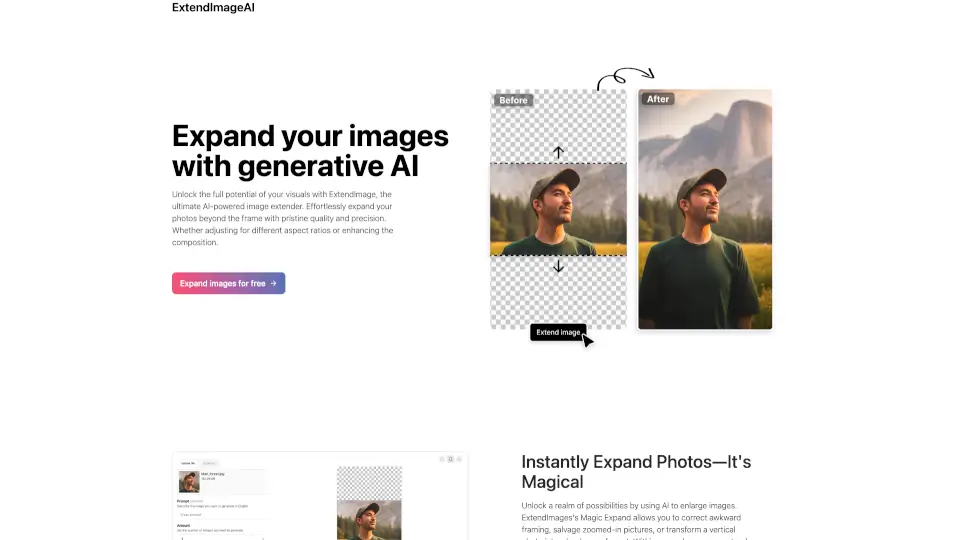
¿Tienes una foto genial pero el encuadre no es el ideal? ¿O necesitas adaptar una imagen vertical para usarla en un formato horizontal sin perder calidad? ExtendImageAI es tu solución. Esta herramienta impulsada por IA generativa te permite ampliar imágenes más allá de sus bordes originales, rellenando los espacios faltantes con detalles realistas que coinciden perfectamente con el estilo, color y textura de la foto original.
Ya sea que quieras corregir un recorte torpe, rescatar una foto demasiado acercada o preparar contenido visual para distintas plataformas, ExtendImageAI lo hace rápido, fácil y gratis. No necesitas ser diseñador: solo sube tu imagen, elige cómo quieres expandirla y deja que la inteligencia artificial haga su magia.
¿Cuáles son las características de ExtendImageAI?
- Expansión mágica con IA: Rellena áreas fuera del marco original con detalles coherentes y realistas.
- Múltiples opciones generadas: Recibe varias versiones ampliadas para elegir la que mejor se ajuste a tu visión.
- Selección libre (freeform): Amplía solo la parte que tú indiques, no toda la imagen.
- Ajuste de proporción flexible: Cambia fácilmente de vertical a horizontal (o viceversa) sin distorsionar la imagen.
- Preservación de estilo y color: La IA respeta fielmente la estética original para una integración perfecta.
- Calidad prístina: Los resultados mantienen nitidez y coherencia visual, ideales para uso profesional.
- Uso gratuito: Prueba todas las funciones sin costo inicial.
¿Cuáles son los casos de uso de ExtendImageAI?
- Corregir fotos con encuadres incómodos o cortes accidentales.
- Convertir imágenes verticales en horizontales para banners web o publicidad impresa.
- Adaptar contenido visual para distintas redes sociales (Instagram, Facebook, Twitter, etc.).
- Mejorar pósters, infografías o materiales de marketing con fondos extendidos.
- Rescatar fotos muy zoomed-in añadiendo contexto alrededor del sujeto.
- Crear fondos personalizados para presentaciones o diseños gráficos.
- Preparar imágenes para impresión en formatos grandes sin perder resolución visual.
¿Cómo usar ExtendImageAI?
- Sube tu imagen a la plataforma ExtendImageAI.
- Elige el tamaño o la proporción deseada (o usa selección libre para zonas específicas).
- Haz clic en "Expandir" y espera unos segundos mientras la IA genera el resultado.
- Revisa las distintas opciones ofrecidas y selecciona la que más te guste.
- Descarga tu imagen ampliada lista para usar en cualquier proyecto.
- ¡Listo! Usa tu nueva imagen en redes, impresos o presentaciones sin preocuparte por la calidad.