
¿Qué es Cherry Studio AI?
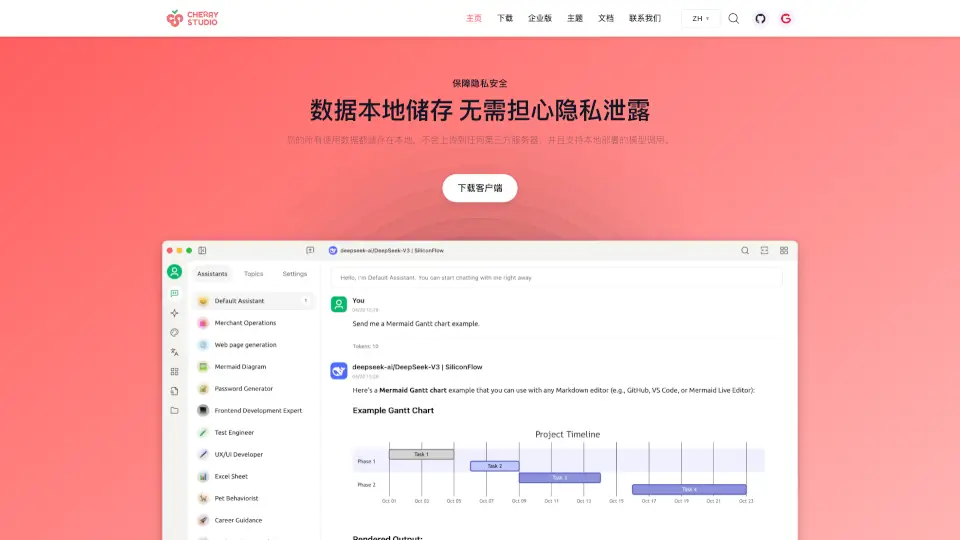
Cherry Studio es un asistente AI versátil y seguro, diseñado para ayudarte en tu día a día. Compatible con iOS, macOS y Windows, esta herramienta te permite aprovechar al máximo el poder de los grandes modelos de lenguaje sin preocuparte por la privacidad. Tus datos se almacenan localmente, y no se envían a terceros. Además, cuenta con una biblioteca de conocimientos personalizados y soporte para múltiples proveedores de servicios AI.
¿Cuáles son las características de Cherry Studio AI?
- Privacidad y Seguridad: Tus datos se almacenan localmente, sin subir a servidores externos.
- Biblioteca de Conocimientos Personalizados: Importa archivos o páginas web para crear tu propia base de conocimientos.
- Soporte para Múltiples Proveedores: Compatible con la mayoría de los servicios AI del mercado, incluyendo OpenAI y Anthropic.
- Asistentes Integrados: Acceso a más de mil asistentes preconfigurados para diferentes tareas.
- Traducción y Dibujo AI: Funciones integradas para traducir textos y generar imágenes.
¿Cuáles son los casos de uso de Cherry Studio AI?
- Estudiantes: Organiza tus apuntes y utiliza la biblioteca de conocimientos para estudiar de manera más eficiente.
- Profesionales: Automatiza tareas repetitivas y mejora tu productividad con asistentes especializados.
- Creadores: Utiliza las herramientas de dibujo AI para expresar tu imaginación.
- Viajeros: Traduce textos rápidamente en cualquier idioma.
¿Cómo usar Cherry Studio AI?
- Descarga el Cliente: Obten la aplicación desde el sitio web oficial.
- Configura tu Cuenta: Introduce tus claves API para acceder a los servicios AI.
- Crea tu Biblioteca: Importa tus archivos o páginas web para personalizar tu asistente.
- Empieza a Usar: Pregúntale cualquier cosa a tu asistente o utiliza las herramientas integradas.