
¿Qué es ChartGen AI?
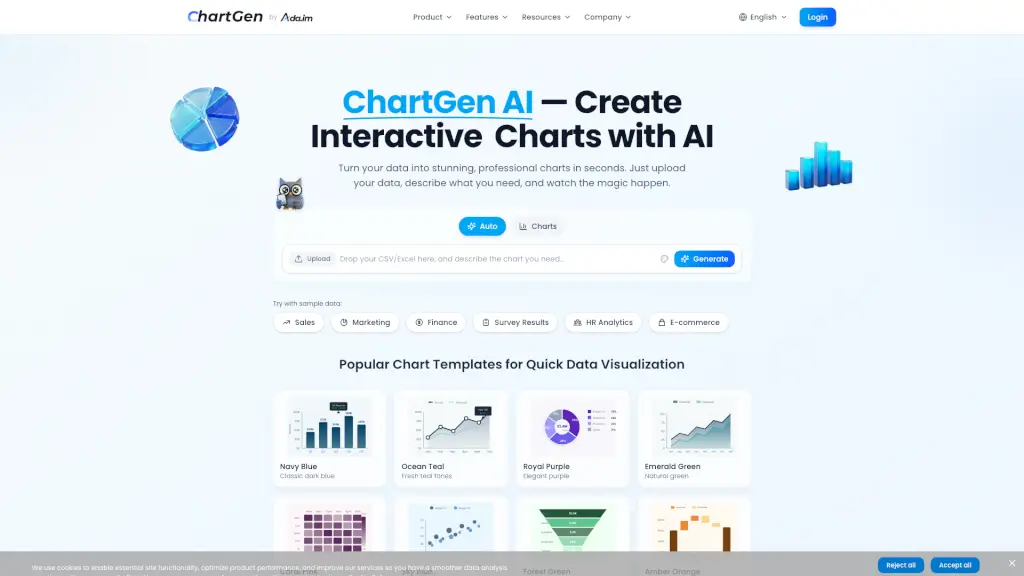
ChartGen AI es una herramienta revolucionaria que te permite convertir tus datos en gráficos profesionales y atractivos en cuestión de segundos. Ideal para estudiantes, analistas, y profesionales de todas las industrias, ChartGen simplifica la creación de visualizaciones de datos. Solo tienes que subir tus datos, describir lo que necesitas, y el generador de gráficos con IA hará el trabajo por ti. Olvídate de las herramientas complicadas y del código, y obtén resultados instantáneos.
¿Cuáles son las características de ChartGen AI?
- Generación de Gráficos con IA: Crea gráficos profesionales en segundos solo describiendo tus datos.
- Compatibilidad con Múltiples Tipos de Gráficos: Soporta 9 tipos de gráficos, incluyendo barras, líneas, pastel, área, dispersión, mapas de calor, combinados, cascada y embudo.
- Sincronización de Datos en Tiempo Real: Conéctate a tus fuentes de datos para obtener actualizaciones automáticas.
- Exportación Fácil: Descarga tus gráficos en formatos PNG, SVG o PDF, o embebe directamente en presentaciones y informes.
- Seguridad Empresarial: Cumple con SOC 2 y GDPR, garantizando que tus datos estén seguros y privados.
- Personalización de Colores: Elige entre 12 temas de colores profesionales o usa el selector de colores para personalizar tu gráfico.
¿Cuáles son los casos de uso de ChartGen AI?
- Análisis Financiero: Transforma los datos financieros en informes trimestrales claros, análisis de ingresos y visualizaciones de ganancias.
- Marketing y Crecimiento: Visualiza el rendimiento de las campañas, la atribución de canales y las métricas de ROI para optimizar el gasto en marketing.
- Recursos Humanos: Analiza encuestas de empleados, tasas de rotación y otros datos de recursos humanos.
- Investigación Académica: Crea gráficos para presentar resultados de investigación y análisis de datos.
- Comercio Electrónico: Visualiza tendencias de ventas, comportamiento del cliente y análisis de productos.
¿Cómo usar ChartGen AI?
- Sube tus datos en formato CSV o Excel, o conecta tus fuentes de datos.
- Describe en lenguaje natural el tipo de gráfico que deseas crear.
- Personaliza el gráfico seleccionando colores, etiquetas y métodos de agregación.
- Descarga o exporta el gráfico en el formato que prefieras.
- Publica y comparte tus gráficos en dashboards interactivos.